


There is a new post. Click here to view the latest post.
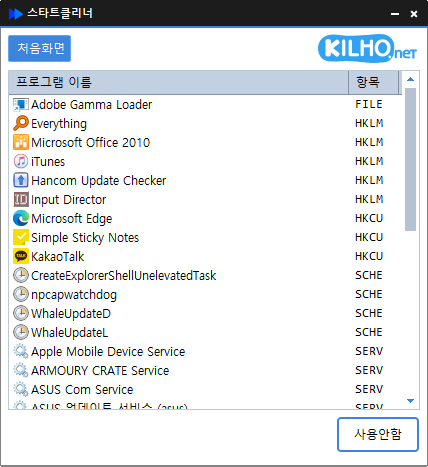
KCleaner (3.6.5) has been updated.
- Easily remove security(?) programs that are forcibly installed when accessing banking websites.
- Cleanly terminates malware that uses the same filenames as standard Windows processes.
- Essential drivers (graphics, sound) are not terminated.
(Terminating drivers may reduce performance.) - Trusted antivirus software is not terminated.
- Easily stop things that slow down Explorer (such as toolbars).
- Use without installation.
Download file
Website
- KCleaner : https://kcleaner.kilho.net
Related Links
- Update Notice : https://kilho.top/archives/notice/2940
License
- KCleaner is freeware.
- Use it freely anywhere, including at companies, homes, government offices, and schools.
- You may freely distribute it anywhere.
Frequently Asked Questions (FAQ)
- Is KCleaner free?
Yes, KCleaner is free to use anywhere, including at companies, homes, schools, and government offices. - Can KCleaner remove security programs?
Yes, you can easily remove security programs forcibly installed by banking websites. - Will KCleaner terminate important drivers or antivirus software?
No, it does not terminate essential drivers (such as graphics and sound drivers) or trusted antivirus software. - Will using KCleaner improve my computer’s performance?
Yes, terminating unnecessary programs and toolbars can improve PC performance and web browser speed. - Do I need to install the program?
No, KCleaner can be used immediately as a standalone file without installation.


도대체 몇 년째 도움받으며 쓰고있는지 모르겠습니다. 진심으로 감사합니다^ㅡ^
항상 감사합니다