It’s literally an Enjoy generator.
Type Enjoy and click OK, and you’ll see something like the image above ^^;

 Kilho, Oh
Cập nhật lần cuối
Kilho, Oh
Cập nhật lần cuối
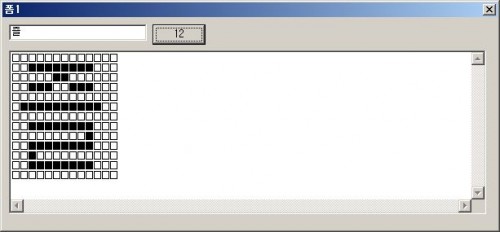
It’s literally an Enjoy generator.
Type Enjoy and click OK, and you’ll see something like the image above ^^;
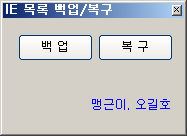
Put this together in a hurry as rudals suggested ^^(http://miniwini.com/miniwinis/bbs/index.php?bid=share&mode=read&id=4247) A simple, no-frills (??) program that saves and restores the current IE list. * Since only the IE list is saved, you may be logged out of login pages if…
A program that hides desktop icons with a keyboard shortcut. Use the keyboard shortcut (Shift+Windows key+D) to hide or show desktop icons. Runs in a small footprint without requiring runtime libraries. Does not change Windows settings. Ready to use without…
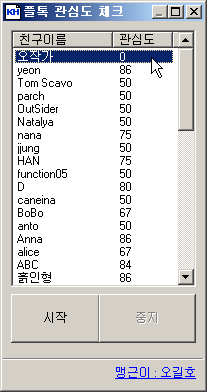
I made this because PlayTalk provides an interest level feature between members. You must be logged in with Internet Explorer. * Confirmed to work on IE7/XP SP2. Download
Features Easily manage programs that run automatically at startup. Manage various items in one place, including the Startup folder, registry, Task Scheduler, and services. Safely change settings by disabling items instead of deleting them. Tải về tệp tin Download from…
I made this web program after thinking of the drama “Extraordinary Attorney Woo,” which I’ve enjoyed watching recently. It doesn’t have any special features, but I hope you enjoy it. 😉 See Woo Young-woo’s self-introduction Sites used to extract and…
I’m writing this because an external hard drive I bought for Mac isn’t recognized by Windows. (It would be easier to use “Create and format hard disk partitions,” but it wouldn’t run, so here’s another way. 😢) Run Command Prompt…