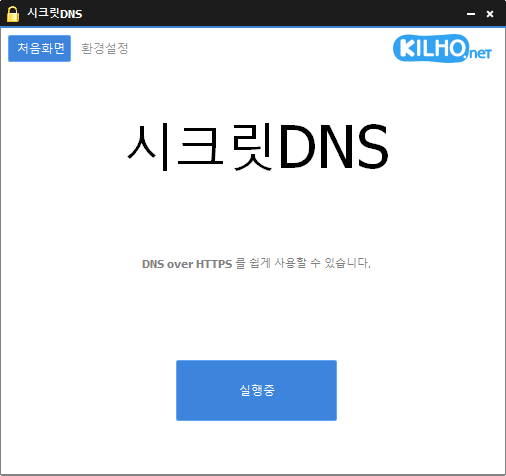
SecretDNS (4.0.5) has been updated.
Update
- Version 4.0.5 (2026/09/15)
- Improved VPN stability with automatic server switching
- Made VPN activity easier to identify in connection history
- Using Recommended Options lets you exclude only the sites you need, for a smoother experience.
- Apply SNI fragmentation and DNS features only to specified domains.
- Use a specified DNS server without changing Windows settings.
- Use it together with the proxy feature.
Website
- SecretDNS: https://secretdns.kilho.net
Recommended Options
- DNS settings – Encryption (DOH)
- SNI settings – Fragmentation (Specify manually)
- Specified list – Enter the domains to apply the settings to
History
-
Version 4.0.5 (2026/09/15)
- Improved VPN stability with automatic server switching
- Made VPN activity easier to identify in connection history
-
Version 4.0.4 (2026/09/14)
- Improved the update process and automatic startup reliability
- Completely redesigned Proxy Mix for more stable connections
- Added an easy way to choose and edit websites that use Proxy Mix
- Proxy Mix preferences are now saved between app launches
- Added options to add and select your preferred DNS servers
- Improved encrypted DNS connectivity in some network environments
- Added domain address support and a new Cloudflare endpoint
- Added clearer guidance for selecting another server when encrypted DNS fails
- Made DNS settings easier to understand and use
- Simplified connection status messages for better clarity
-
Version 4.0.2 (2026/09/04)
- Fixed intermittent internet interruptions on certain networks
- Improved connection continuity without requiring users to turn off SecretDNS
- Automatically switches DNS servers for a more reliable connection
- Improved website access during temporary DNS errors and traffic spikes
- Automatically restores encrypted connections when the network becomes stable
-
Version 4.0.1 (2026/08/25)
- Fixed internet issues after startup on some PCs
- Improved connectivity after sleep, VPN, or Wi-Fi changes
- Added automatic recovery for internet outages
- Improved DNS connectivity for Windows and some websites
- Improved connection and recovery status messages
-
Version 4.0.0 (2026/08/24)
- Improved built-in DNS handling for faster, more reliable connections and stronger privacy without requiring a separate program
- Added encrypted DNS support for safer internet connections
- Separated DNS and website connection settings for more consistent connectivity across different network environments
- Redesigned connection logs to make DNS and website connection results easier to check
- Fixed DNS response failures and unexpected connection interruptions that could occur in some network environments
- Fixed occasional stability issues when rapidly starting or closing the program
- Fixed connection issues that could occur in proxy environments or after a startup failure
- Fixed issues where some logs could remain or show inaccurate connection results
- Removed outdated DNS settings and unused features for better overall optimization
Related Links
- Update information: https://kilho.top/archives/notice/2940
- iPhone settings: https://gnu.kilho.net/tiptech/1330
License
- SecretDNS is freeware.
- You can use it freely at companies, at home, in government offices, at schools, and anywhere else.
- You are free to distribute it anywhere.
Download file
Frequently Asked Questions (FAQ)
- Why should I use the Recommended Options?
They make it easy to use features such as DNS tampering protection and SNI eavesdropping prevention, while maintaining both speed and security. - Does the SNI fragmentation feature slow things down?
No. This program minimizes any slowdown by fragmenting only the SNI string. - Do the DNS settings change the Windows system settings?
No. The program uses its own DNS settings (DNS over HTTPS) without changing Windows settings, keeping your connection stable and secure. - How can I fix it when I can’t access a specific site?
You can minimize access issues by configuring a whitelist or a list of specified domains. - Can I use it without installing it?
Yes. A portable version is available, so you can use it right away without installing anything.