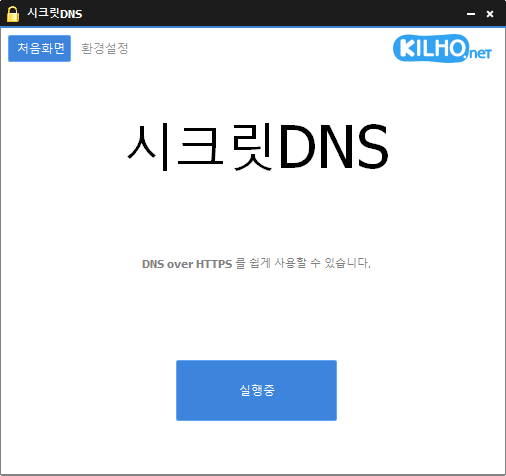
SecretDNS (4.0.5) has been updated.
更新
- バージョン 4.0.5 (2026/09/15)
- サーバーの自動切り替えにより、VPNの安定性を向上
- 接続履歴でVPNの通信を識別しやすく改善
- Using Recommended Options lets you exclude only the sites you need, for a smoother experience.
- Apply SNI fragmentation and DNS features only to specified domains.
- Use a specified DNS server without changing Windows settings.
- Use it together with the proxy feature.
Website
- SecretDNS: https://secretdns.kilho.net
Recommended Options
- DNS settings – Encryption (DOH)
- SNI settings – Fragmentation (Specify manually)
- Specified list – Enter the domains to apply the settings to
更新履歴
-
バージョン 4.0.5 (2026/09/15)
- サーバーの自動切り替えにより、VPNの安定性を向上
- 接続履歴でVPNの通信を識別しやすく改善
-
バージョン 4.0.4 (2026/09/14)
- 更新処理と自動起動の信頼性を向上
- より安定した接続のため、Proxy Mixを全面的に再設計
- Proxy Mixを使用するウェブサイトを簡単に選択・編集できる機能を追加
- アプリの起動後もProxy Mixの設定を保持するように改善
- 任意のDNSサーバーを追加・選択するオプションを追加
- 一部のネットワーク環境で、暗号化DNSへの接続性を向上
- ドメインアドレスのサポートと、新しいCloudflareエンドポイントを追加
- 暗号化DNSに失敗した際、別のサーバーを選択するための案内をわかりやすく改善
- DNS設定をよりわかりやすく、使いやすく改善
- 接続状態のメッセージを簡素化し、わかりやすく改善
-
バージョン 4.0.2 (2026/09/04)
- 特定のネットワークで断続的にインターネット接続が途切れる問題を修正
- SecretDNSを終了しなくても接続を継続できるように改善
- より信頼性の高い接続のため、DNSサーバーを自動的に切り替えるように改善
- 一時的なDNSエラーや通信量の急増時に、ウェブサイトへ接続しやすく改善
- ネットワークが安定すると、暗号化接続を自動的に復元するように改善
-
バージョン 4.0.1 (2026/08/25)
- 一部のPCで起動後にインターネットへ接続できない問題を修正
- スリープ、VPN、Wi-Fiの変更後の接続性を向上
- インターネット接続が切断された際の自動復旧機能を追加
- Windowsおよび一部のウェブサイトでDNS接続を改善
- 接続および復旧状態のメッセージを改善
-
バージョン 4.0.0 (2026/08/24)
- 別のプログラムを必要とせず、より高速で信頼性の高い接続と強化されたプライバシーを実現するため、内蔵DNSの処理を改善
- より安全なインターネット接続のため、暗号化DNSのサポートを追加
- 異なるネットワーク環境でも接続性を安定させるため、DNSとウェブサイトの接続設定を分離
- DNSとウェブサイトの接続結果を確認しやすくするため、接続ログを再設計
- 一部のネットワーク環境で発生するDNS応答の失敗と予期しない接続中断を修正
- プログラムを短時間に起動または終了した際に発生することがあった安定性の問題を修正
- プロキシ環境または起動失敗後に発生することがあった接続の問題を修正
- 一部のログが残ったり、正しくない接続結果を表示したりする問題を修正
- 全体的な最適化のため、古いDNS設定と使用されていない機能を削除
Related Links
- Update information: https://kilho.top/archives/notice/2940
- iPhone settings: https://gnu.kilho.net/tiptech/1330
License
- SecretDNS is freeware.
- You can use it freely at companies, at home, in government offices, at schools, and anywhere else.
- You are free to distribute it anywhere.
ファイルをダウンロード
Frequently Asked Questions (FAQ)
- Why should I use the Recommended Options?
They make it easy to use features such as DNS tampering protection and SNI eavesdropping prevention, while maintaining both speed and security. - Does the SNI fragmentation feature slow things down?
No. This program minimizes any slowdown by fragmenting only the SNI string. - Do the DNS settings change the Windows system settings?
No. The program uses its own DNS settings (DNS over HTTPS) without changing Windows settings, keeping your connection stable and secure. - How can I fix it when I can’t access a specific site?
You can minimize access issues by configuring a whitelist or a list of specified domains. - Can I use it without installing it?
Yes. A portable version is available, so you can use it right away without installing anything.