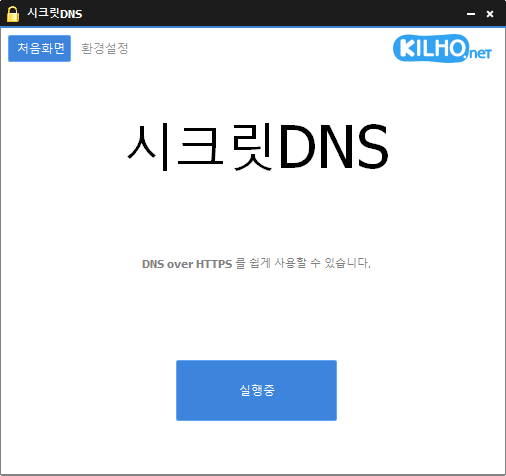
SecretDNS (4.0.5) has been updated.
更新
- 版本 4.0.5 (2026/09/15)
- 通过自动切换服务器提升 VPN 稳定性
- 让 VPN 活动在连接历史记录中更易识别
- Using Recommended Options lets you exclude only the sites you need, for a smoother experience.
- Apply SNI fragmentation and DNS features only to specified domains.
- Use a specified DNS server without changing Windows settings.
- Use it together with the proxy feature.
Website
- SecretDNS: https://secretdns.kilho.net
Recommended Options
- DNS settings – Encryption (DOH)
- SNI settings – Fragmentation (Specify manually)
- Specified list – Enter the domains to apply the settings to
历史记录
-
版本 4.0.5 (2026/09/15)
- 通过自动切换服务器提升 VPN 稳定性
- 让 VPN 活动在连接历史记录中更易识别
-
版本 4.0.4 (2026/09/14)
- 改进更新流程和自动启动可靠性
- 全面重新设计 Proxy Mix,提升连接稳定性
- 新增便捷方式,可选择和编辑使用 Proxy Mix 的网站
- 现在会在应用启动之间保存 Proxy Mix 偏好设置
- 新增添加和选择首选 DNS 服务器的选项
- 改进部分网络环境下的加密 DNS 连接
- 新增域名地址支持和 Cloudflare 新端点
- 加密 DNS 失败时,新增选择其他服务器的明确指引
- 让 DNS 设置更易理解和使用
- 简化连接状态消息,提升清晰度
-
版本 4.0.2 (2026/09/04)
- 修复部分网络中间歇性断网的问题
- 改进连接连续性,无需关闭 SecretDNS
- 自动切换 DNS 服务器,提升连接可靠性
- 改进临时 DNS 错误和流量高峰期间的网站访问
- 网络稳定后自动恢复加密连接
-
版本 4.0.1 (2026/08/25)
- 修复部分电脑启动后无法上网的问题
- 改进睡眠、VPN 或 Wi-Fi 变化后的连接
- 新增断网自动恢复功能
- 改进 Windows 和部分网站的 DNS 连接
- 改进连接和恢复状态消息
-
版本 4.0.0 (2026/08/24)
- 改进内置 DNS 处理,在无需单独程序的情况下提供更快、更可靠的连接和更强的隐私保护
- 新增加密 DNS 支持,让互联网连接更安全
- 分离 DNS 和网站连接设置,提升不同网络环境下的连接一致性
- 重新设计连接日志,方便查看 DNS 和网站连接结果
- 修复部分网络环境中可能出现的 DNS 响应失败和意外断连问题
- 修复快速启动或关闭程序时偶发的稳定性问题
- 修复代理环境中或启动失败后可能出现的连接问题
- 修复部分日志可能残留或显示不准确连接结果的问题
- 移除过时的 DNS 设置和未使用功能,进一步优化整体性能
Related Links
- Update information: https://kilho.top/archives/notice/2940
- iPhone settings: https://gnu.kilho.net/tiptech/1330
License
- SecretDNS is freeware.
- You can use it freely at companies, at home, in government offices, at schools, and anywhere else.
- You are free to distribute it anywhere.
下载文件
Frequently Asked Questions (FAQ)
- Why should I use the Recommended Options?
They make it easy to use features such as DNS tampering protection and SNI eavesdropping prevention, while maintaining both speed and security. - Does the SNI fragmentation feature slow things down?
No. This program minimizes any slowdown by fragmenting only the SNI string. - Do the DNS settings change the Windows system settings?
No. The program uses its own DNS settings (DNS over HTTPS) without changing Windows settings, keeping your connection stable and secure. - How can I fix it when I can’t access a specific site?
You can minimize access issues by configuring a whitelist or a list of specified domains. - Can I use it without installing it?
Yes. A portable version is available, so you can use it right away without installing anything.