Nemo (0.9.9) has been updated.
Update
- Version 0.9.9 (2026/08/16)
- Completely rebuilt the program for faster and more reliable performance.
- Your notes are automatically saved to the server, so you can use Nemo with peace of mind.
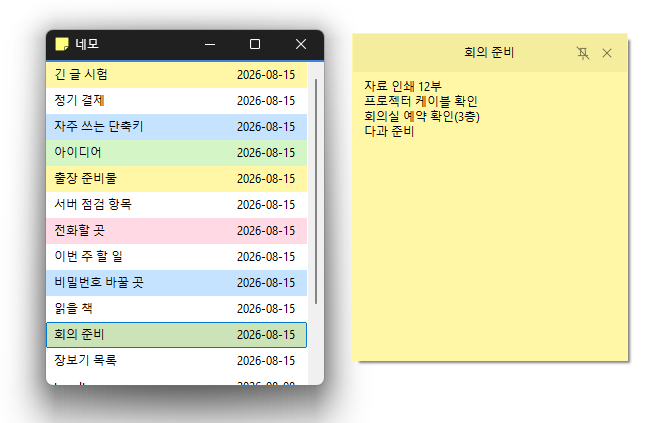
- The position, size, and pinned state of your notes are remembered and restored when you relaunch the app.
- Use different colors to organize your notes and find what you need at a glance.
- View and manage the same notes on your PC and on the web.
- Your account is protected with a secure login method.
Website
- Nemo : https://nemo.kilho.net
History
-
Version 0.9.9 (2026/08/16)
- Completely rebuilt the program for faster and more reliable performance.
-
Version 0.9.0 (2004/06/19)
- First Release
Related Links
- Update Notice : https://kilho.top/archives/notice/2940
License
- Nemo is freeware.
- You can use it freely anywhere, including at work, at home, in government offices, and at school.
- You are free to distribute it anywhere.
Download file
Frequently Asked Questions (FAQ)
- Where are my notes saved?
They are automatically saved to the server. - Can I use Nemo on another PC?
Yes, log in to access the same notes. - Can I use Nemo on the web?
Yes, you can manage the same notes on your PC and on the web. - Are the position and size of my notes saved?
Yes, the position, size, and pinned state are automatically restored. - Do I need to install the program?
No, Nemo can be used right away as a single file, with no installation required.