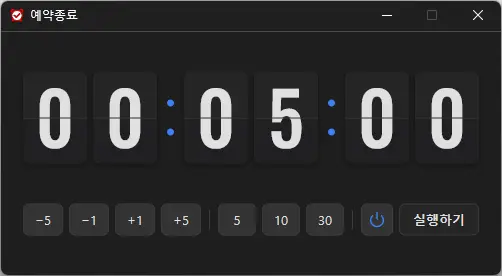
StayOn (2.0.0) has been updated.
Update
- Version 2.0.0 (2026/09/21)
- Completely refreshed for a lighter and more reliable experience
- Improved prevention of screen timeout, sleep mode, and unexpected Away status in apps such as Teams
- Added 100%, 200%, and 400% display size options
- Automatic saving of window position and display size, with improved multi-monitor placement
- Prevents your computer from going to sleep or turning off the screen while you work.
- You can use it without changing the Windows power and sleep settings.
- It does not change Windows settings.
- No installation is required.
History
-
Version 2.0.0 (2026/09/21)
- Completely refreshed for a lighter and more reliable experience
- Improved prevention of screen timeout, sleep mode, and unexpected Away status in apps such as Teams
- Added 100%, 200%, and 400% display size options
- Automatic saving of window position and display size, with improved multi-monitor placement
-
Version 1.0.2 (2024/11/25)
- Completely removed Delphi VCL Styles.
- Resolved Direct2D errors occurring on specific computer environments
- Enhanced HiDPI optimization.
-
Version 1.0.1 (2024/11/16)
- Added support for Italian, French, and Russian
- Updated DzHTMLText library
-
Version 1.0.0 (2024/11/03)
- Improved update notification module.
- Multilingual support
-
Version 0.9.0 (2024/01/10)
- First Release
Related Links
- About the program: https://v2.kilho.net/stayon
- Update information: https://kilho.top/archives/notice/2940
Download file
License
- StayOn is freeware.
- You can use it freely anywhere, including at work, at home, in government offices, and at school.
- You may freely distribute it anywhere.
Frequently Asked Questions (FAQ)
- What does this program do?
It prevents your computer from going to sleep or turning off the screen because a screensaver starts while you work. - Do I need to change the Windows power settings myself?
No. You don’t need to adjust the Windows power and sleep settings. Sleep mode and screen shutoff are disabled only while StayOn is running. - Does it change Windows settings?
No. It does not change Windows settings. When you close StayOn, your computer returns to its original power settings. - Does it need to be installed?
No. You can run the downloaded file directly without installing it. - Does it include ads or adware?
No. StayOn contains no ads or adware, and it does not install any unwanted programs. - Can I use it for free?
Yes. StayOn is freeware and can be used for free anywhere, including at work, at home, in government offices, and at school.