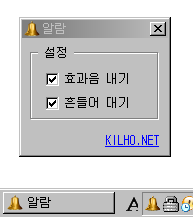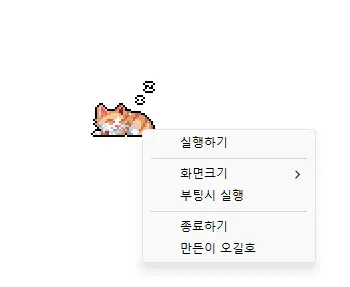
StayOn (2.0.0) has been updated.
อัปเดต
- เวอร์ชัน 2.0.0 (2026/09/21)
- ปรับปรุงใหม่ทั้งหมดเพื่อประสบการณ์ใช้งานที่เบาและเชื่อถือได้ยิ่งขึ้น
- ปรับปรุงการป้องกันการหมดเวลาของหน้าจอ โหมดสลีป และสถานะไม่อยู่โดยไม่คาดคิดในแอป เช่น Teams
- เพิ่มตัวเลือกขนาดการแสดงผล 100%, 200% และ 400%
- บันทึกตำแหน่งหน้าต่างและขนาดการแสดงผลอัตโนมัติ พร้อมปรับปรุงการจัดวางบนหลายจอภาพ
- Prevents your computer from going to sleep or turning off the screen while you work.
- You can use it without changing the Windows power and sleep settings.
- It does not change Windows settings.
- No installation is required.
History
-
เวอร์ชัน 2.0.0 (2026/09/21)
- ปรับปรุงใหม่ทั้งหมดเพื่อประสบการณ์ใช้งานที่เบาและเชื่อถือได้ยิ่งขึ้น
- ปรับปรุงการป้องกันการหมดเวลาของหน้าจอ โหมดสลีป และสถานะไม่อยู่โดยไม่คาดคิดในแอป เช่น Teams
- เพิ่มตัวเลือกขนาดการแสดงผล 100%, 200% และ 400%
- บันทึกตำแหน่งหน้าต่างและขนาดการแสดงผลอัตโนมัติ พร้อมปรับปรุงการจัดวางบนหลายจอภาพ
-
เวอร์ชัน 1.0.2 (2024/11/25)
- ลบ Delphi VCL Styles ออกทั้งหมด.
- แก้ไขข้อผิดพลาด Direct2D ที่เกิดขึ้นในสภาพแวดล้อมคอมพิวเตอร์บางรูปแบบ
- ปรับปรุงการเพิ่มประสิทธิภาพสำหรับ HiDPI.
-
เวอร์ชัน 1.0.1 (2024/11/16)
- เพิ่มการรองรับภาษาอิตาลี ฝรั่งเศส และรัสเซีย
- อัปเดตไลบรารี DzHTMLText
-
เวอร์ชัน 1.0.0 (2024/11/03)
- ปรับปรุงโมดูลแจ้งเตือนการอัปเดต.
- รองรับหลายภาษา
-
เวอร์ชัน 0.9.0 (2024/01/10)
- รุ่นแรก
Related Links
- About the program: https://v2.kilho.net/stayon
- Update information: https://kilho.top/archives/notice/2940
Download file
License
- StayOn is freeware.
- You can use it freely anywhere, including at work, at home, in government offices, and at school.
- You may freely distribute it anywhere.
Frequently Asked Questions (FAQ)
- What does this program do?
It prevents your computer from going to sleep or turning off the screen because a screensaver starts while you work. - Do I need to change the Windows power settings myself?
No. You don’t need to adjust the Windows power and sleep settings. Sleep mode and screen shutoff are disabled only while StayOn is running. - Does it change Windows settings?
No. It does not change Windows settings. When you close StayOn, your computer returns to its original power settings. - Does it need to be installed?
No. You can run the downloaded file directly without installing it. - Does it include ads or adware?
No. StayOn contains no ads or adware, and it does not install any unwanted programs. - Can I use it for free?
Yes. StayOn is freeware and can be used for free anywhere, including at work, at home, in government offices, and at school.