StayOn (2.0.0) has been updated.
Aktualisieren
- Version 2.0.0 (2026/09/21)
- Vollständig überarbeitet für eine leichtere und zuverlässigere Nutzung
- Verbesserte Verhinderung des Bildschirm-Timeouts, des Energiesparmodus und eines unerwarteten Status „Abwesend“ in Apps wie Teams
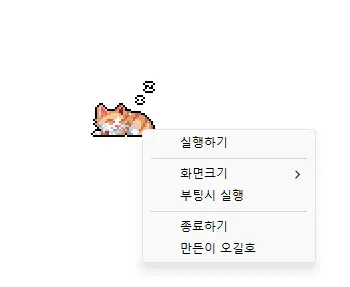
- Optionen für Anzeigegrößen von 100%, 200% und 400% hinzugefügt
- Automatisches Speichern der Fensterposition und Anzeigegröße mit verbesserter Platzierung auf mehreren Monitoren
- Prevents your computer from going to sleep or turning off the screen while you work.
- You can use it without changing the Windows power and sleep settings.
- It does not change Windows settings.
- No installation is required.
History
-
Version 2.0.0 (2026/09/21)
- Vollständig überarbeitet für eine leichtere und zuverlässigere Nutzung
- Verbesserte Verhinderung des Bildschirm-Timeouts, des Energiesparmodus und eines unerwarteten Status „Abwesend“ in Apps wie Teams
- Optionen für Anzeigegrößen von 100%, 200% und 400% hinzugefügt
- Automatisches Speichern der Fensterposition und Anzeigegröße mit verbesserter Platzierung auf mehreren Monitoren
-
Version 1.0.2 (2024/11/25)
- Delphi VCL Styles vollständig entfernt.
- Direct2D-Fehler behoben, die in bestimmten Computerumgebungen auftraten
- HiDPI-Optimierung verbessert.
-
Version 1.0.1 (2024/11/16)
- Unterstützung für Italienisch, Französisch und Russisch hinzugefügt
- DzHTMLText-Bibliothek aktualisiert
-
Version 1.0.0 (2024/11/03)
- Modul für Update-Benachrichtigungen verbessert.
- Mehrsprachige Unterstützung
-
Version 0.9.0 (2024/01/10)
- Erstveröffentlichung
Related Links
- About the program: https://v2.kilho.net/stayon
- Update information: https://kilho.top/archives/notice/2940
Datei herunterladen
License
- StayOn is freeware.
- You can use it freely anywhere, including at work, at home, in government offices, and at school.
- You may freely distribute it anywhere.
Frequently Asked Questions (FAQ)
- What does this program do?
It prevents your computer from going to sleep or turning off the screen because a screensaver starts while you work. - Do I need to change the Windows power settings myself?
No. You don’t need to adjust the Windows power and sleep settings. Sleep mode and screen shutoff are disabled only while StayOn is running. - Does it change Windows settings?
No. It does not change Windows settings. When you close StayOn, your computer returns to its original power settings. - Does it need to be installed?
No. You can run the downloaded file directly without installing it. - Does it include ads or adware?
No. StayOn contains no ads or adware, and it does not install any unwanted programs. - Can I use it for free?
Yes. StayOn is freeware and can be used for free anywhere, including at work, at home, in government offices, and at school.