Kalmuri (4.3.0) has been updated.
Update
- Version 4.3.0 (2026/08/28)
- Web page capture has been completely rebuilt
- Faster and more reliable capture with the latest Edge and Chrome browsers
- Capture entire long web pages in a single image
- Automatically finds your installed browser with no extra setup
- Accurately finds the current page even with multiple windows and tabs open
- Improved capture recovery after browser closure or delayed responses
- Clear guidance is provided when web capture is unavailable
- Removed the outdated capture method for better compatibility with modern websites
- Supports a variety of capture areas.
- Can capture entire webpages.
- Supports a variety of file formats for saving.
- Extracts text using OCR.
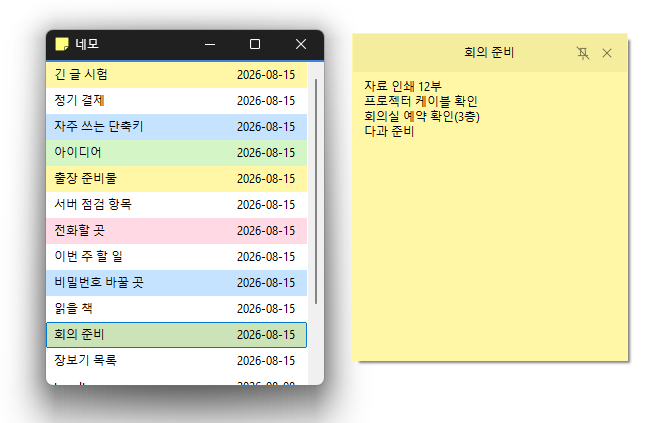
- Supports floating images.
- Generates shareable links through the image storage.
- Can record videos.
- Can pick colors.
- Can be used without installation.
Website
- Kalmuri : https://kalmuri.kilho.net
History
-
Version 4.3.0 (2026/08/28)
- Web page capture has been completely rebuilt
- Faster and more reliable capture with the latest Edge and Chrome browsers
- Capture entire long web pages in a single image
- Automatically finds your installed browser with no extra setup
- Accurately finds the current page even with multiple windows and tabs open
- Improved capture recovery after browser closure or delayed responses
- Clear guidance is provided when web capture is unavailable
- Removed the outdated capture method for better compatibility with modern websites
-
Version 4.2.7 (2026/08/14)
- Fixed webpage capture failures and subsequent capture issues in some environments
- Fixed save folder selection issues in certain situations
-
Version 4.2.6 (2026/07/23)
- Improved web browser capture stability on certain computer configurations
- Fixed unintended capture area changes during screen recording
- Improved the recording indicator for a sharper and smoother appearance
- Improved OCR text saving reliability and Korean and special character compatibility
-
Version 4.2.5 (2026/06/29)
- Fixed an intermittent crash when using Area Capture
- Improved stability for Area Capture and screen recording
- Resolved a capture issue that could occur right after startup
-
Version 4.2.4 (2026/06/03)
- Fixed an issue where color picking could occasionally freeze
- Improved capture stability
- Resolved a possible unexpected app shutdown in certain cases
- Refined internal handling for a smoother experience
Related Links
- Update Notice : https://kilho.top/archives/notice/2940
License
- Kalmuri is freeware.
- You can use it freely in any setting, including offices, homes, government offices, and schools.
- You may freely distribute it anywhere.
Download file
Frequently Asked Questions (FAQ)
- Is Kalmuri free?
Yes, Kalmuri is free to use anywhere, including offices, homes, schools, and government offices. - What image formats are supported for saving captures?
It supports PNG, JPG, WebP, BMP, and GIF formats. - Can it record videos?
Yes, you can record the entire screen or a selected area as a video. - Can text be extracted from captured images?
Yes, you can extract text from images using optical character recognition (OCR). - Do I need to install the program?
No, Kalmuri can be used immediately as a standalone file without installation.