There is a new post. Click here to view the latest post.
SecretDNS (3.9.3) has been updated.
- Using the Recommended options lets you add exceptions for only the sites you need, for a smoother experience.
- Fragments only the SNI string to minimize any loss of speed.
- You can enable SNI fragmentation and DNS features for only the domains you specify.
- Specify and use a DNS server without changing Windows settings.
- Easily check the domains you have accessed.
- Use it together with the proxy feature.
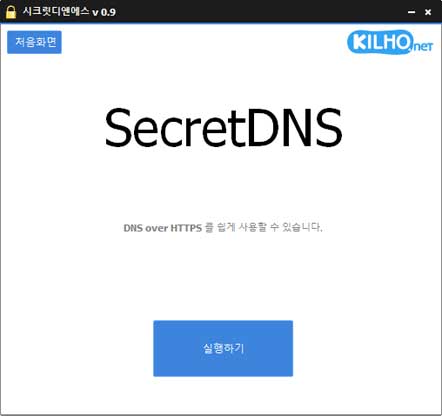
- Available without installation.
Website
- SecretDNS: https://secretdns.kilho.net
Recommended options
- DNS settings – Encryption (DoH)
- SNI settings – Fragmentation (Specify manually)
- Specified list – Enter the domains to apply this to
History
-
Versione 3.9.3 (2026/07/30)
- Migliorata la compatibilità con la riproduzione di video di YouTube e Google
- Risolti i problemi di connettività in alcuni ambienti di rete IPv6
- Impedite le chiusure impreviste causate da risposte non valide del server
- Migliorata la stabilità delle impostazioni di Chrome
-
Versione 3.9.2 (2026/07/07)
- Aggiunta una nuova opzione Fake Packet per una maggiore compatibilità con l'elusione dei blocchi
- Migliorate la percentuale di connessioni riuscite e la stabilità su alcune reti
- Applicato il metodo di elusione dei blocchi più recente per una migliore compatibilità in diversi ambienti
- Aggiunto un interruttore semplice per attivare o disattivare la funzione Fake Packet
-
Versione 3.9.1 (2026/06/12)
- Applicato il supporto per Fragment Extension a tutti i provider Internet, inclusi gli utenti KT
- Fragment Extension è ora abilitato per impostazione predefinita nelle nuove installazioni
-
Versione 3.9.0 (2026/05/23)
- Risolti i problemi di avvio e visualizzazione causati da errori in alcuni software di sicurezza, inclusi nProtect, Fasoo e MarkAny
- Rimosso l'indicatore di caricamento che poteva entrare in conflitto con gli errori di alcuni software di sicurezza
- Migliorata la stabilità negli ambienti interessati da errori dei software di sicurezza
-
Versione 3.8.9 (2026/04/28)
- Migliorata la gestione dei problemi di arresto e riavvio su alcuni sistemi
- Migliorata la stabilità riducendo i ritardi e gestendo i casi limite su alcuni PC
- Migliorate la stabilità e l'affidabilità generali
Related links
- Update information: https://kilho.top/archives/notice/2940
- iPhone settings: https://gnu.kilho.net/tiptech/1330
License
- SecretDNS is freeware.
- You can use it freely anywhere, including at work, at home, in government offices, and at school.
- You are free to distribute it anywhere.
Scarica il file
Frequently Asked Questions (FAQ)
- Why should I use the recommended options?
They make it easy to use features such as DNS spoofing protection and SNI snooping protection, while helping you maintain both speed and security. - Does SNI fragmentation slow things down?
No. This program fragments only the SNI string to minimize any loss of speed. - Do the DNS settings change Windows system settings?
No. It uses its own DNS settings (DNS over HTTPS) without changing Windows settings, making it stable and secure. - How can I fix problems accessing a particular site?
You can minimize access issues by configuring a whitelist or a list of specified domains. - Can I use it without installing it?
Yes. A portable version is available, so you can use it right away without going through an installation process.