There is a new post. Click here to view the latest post.
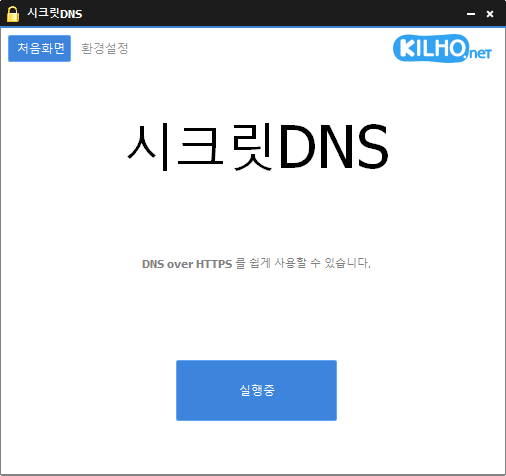
SecretDNS (3.9.3) has been updated.
- Using the Recommended options lets you add exceptions for only the sites you need, for a smoother experience.
- Fragments only the SNI string to minimize any loss of speed.
- You can enable SNI fragmentation and DNS features for only the domains you specify.
- Specify and use a DNS server without changing Windows settings.
- Easily check the domains you have accessed.
- Use it together with the proxy feature.
- Available without installation.
Website
- SecretDNS: https://secretdns.kilho.net
Recommended options
- DNS settings — Encryption (DoH)
- SNI settings — Fragmentation (Specify manually)
- Specified list — Enter the domains to apply this to
History
-
Версия 3.9.3 (2026/07/30)
- Улучшена совместимость с воспроизведением видео на YouTube и Google
- Устранены проблемы с подключением в некоторых сетевых окружениях IPv6
- Предотвращено неожиданное закрытие программы из-за некорректных ответов сервера
- Повышена стабильность настроек Chrome
-
Версия 3.9.2 (2026/07/07)
- Добавлена новая настройка Fake Packet для более эффективного обхода блокировок
- Повышены успешность подключения и стабильность в некоторых сетях
- Применён новый метод обхода для лучшей совместимости в различных окружениях
- Добавлен удобный переключатель для включения и отключения функции Fake Packet
-
Версия 3.9.1 (2026/06/12)
- Поддержка Fragment Extension добавлена для всех интернет-провайдеров, включая пользователей KT
- Fragment Extension теперь включается по умолчанию при новых установках
-
Версия 3.9.0 (2026/05/23)
- Устранены проблемы с запуском и отображением, вызванные ошибками в некоторых программах безопасности, включая nProtect, Fasoo и MarkAny
- Удалён индикатор загрузки, который мог конфликтовать с ошибками в некоторых программах безопасности
- Повышена стабильность в окружениях, на работу которых влияют ошибки программ безопасности
-
Версия 3.8.9 (2026/04/28)
- Улучшена обработка проблем с завершением работы и перезапуском в некоторых системах
- Повышена стабильность за счёт сокращения задержек и обработки нестандартных ситуаций на некоторых компьютерах
- Повышены общая стабильность и надёжность
Related links
- Update information: https://kilho.top/archives/notice/2940
- iPhone settings: https://gnu.kilho.net/tiptech/1330
License
- SecretDNS is freeware.
- You can use it freely anywhere, including at work, at home, in government offices, and at school.
- You are free to distribute it anywhere.
Скачать файл
Frequently Asked Questions (FAQ)
- Why should I use the recommended options?
They make it easy to use features such as DNS spoofing protection and SNI snooping protection, while helping you maintain both speed and security. - Does SNI fragmentation slow things down?
No. This program fragments only the SNI string to minimize any loss of speed. - Do the DNS settings change Windows system settings?
No. It uses its own DNS settings (DNS over HTTPS) without changing Windows settings, making it stable and secure. - How can I fix problems accessing a particular site?
You can minimize access issues by configuring a whitelist or a list of specified domains. - Can I use it without installing it?
Yes. A portable version is available, so you can use it right away without going through an installation process.