新しい記事があります。 こちらをクリックして最新の記事を確認してください。
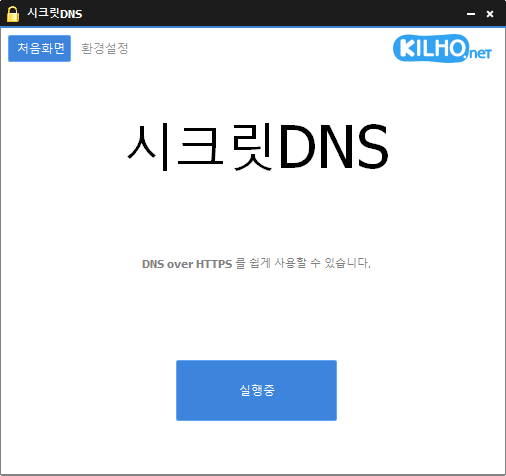
SecretDNS (3.9.3) has been updated.
- Using the Recommended options lets you add exceptions for only the sites you need, for a smoother experience.
- Fragments only the SNI string to minimize any loss of speed.
- You can enable SNI fragmentation and DNS features for only the domains you specify.
- Specify and use a DNS server without changing Windows settings.
- Easily check the domains you have accessed.
- Use it together with the proxy feature.
- Available without installation.
Website
- SecretDNS: https://secretdns.kilho.net
Recommended options
- DNS settings – Encryption (DoH)
- SNI settings – Fragmentation (Specify manually)
- Specified list – Enter the domains to apply this to
更新履歴
-
バージョン 3.9.3 (2026/07/30)
- YouTubeとGoogleの動画再生互換性を向上
- 特定のIPv6ネットワーク環境での接続問題に対応
- 無効なサーバー応答が原因で予期せず終了する問題を防止
- Chrome設定の安定性を向上
-
バージョン 3.9.2 (2026/07/07)
- バイパス互換性を高める新しい偽パケットオプションを追加
- 一部のネットワークで接続成功率と安定性を向上
- さまざまな環境での互換性を高めるため、最新のバイパス方式を適用
- 偽パケット機能を有効または無効にする切り替え機能を追加
-
バージョン 3.9.1 (2026/06/12)
- KTユーザーを含むすべてのインターネットプロバイダーにフラグメント拡張のサポートを適用
- 新規インストール時にフラグメント拡張を既定で有効にするように変更
-
バージョン 3.9.0 (2026/05/23)
- nProtect、Fasoo、MarkAnyなど一部のセキュリティソフトのエラーが原因で発生する起動および表示の問題に対応
- 一部のセキュリティソフトのエラーと競合することがあった読み込みインジケーターを削除
- セキュリティソフトのエラーの影響を受ける環境での安定性を向上
-
バージョン 3.8.9 (2026/04/28)
- 特定のシステムでシャットダウンや再起動に関する問題への対応を改善
- 一部のPCで遅延を減らし、まれなケースに対応することで安定性を向上
- 全体的な安定性と信頼性を向上
Related links
- Update information: https://kilho.top/archives/notice/2940
- iPhone settings: https://gnu.kilho.net/tiptech/1330
License
- SecretDNS is freeware.
- You can use it freely anywhere, including at work, at home, in government offices, and at school.
- You are free to distribute it anywhere.
ファイルをダウンロード
Frequently Asked Questions (FAQ)
- Why should I use the recommended options?
They make it easy to use features such as DNS spoofing protection and SNI snooping protection, while helping you maintain both speed and security. - Does SNI fragmentation slow things down?
No. This program fragments only the SNI string to minimize any loss of speed. - Do the DNS settings change Windows system settings?
No. It uses its own DNS settings (DNS over HTTPS) without changing Windows settings, making it stable and secure. - How can I fix problems accessing a particular site?
You can minimize access issues by configuring a whitelist or a list of specified domains. - Can I use it without installing it?
Yes. A portable version is available, so you can use it right away without going through an installation process.