There is a new post. Click here to view the latest post.
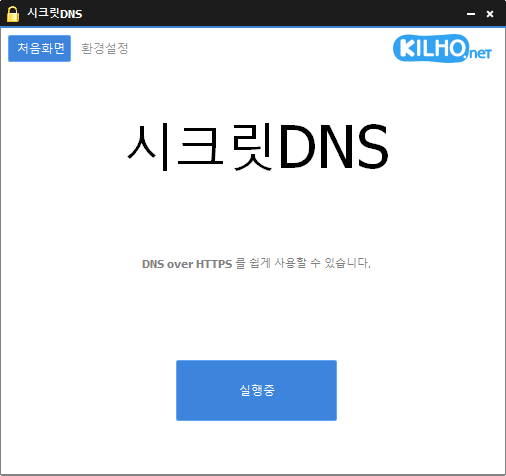
SecretDNS (3.9.3) has been updated.
- Using the Recommended options lets you add exceptions for only the sites you need, for a smoother experience.
- Fragments only the SNI string to minimize any loss of speed.
- You can enable SNI fragmentation and DNS features for only the domains you specify.
- Specify and use a DNS server without changing Windows settings.
- Easily check the domains you have accessed.
- Use it together with the proxy feature.
- Available without installation.
Website
- SecretDNS: https://secretdns.kilho.net
Recommended options
- DNS settings – Encryption (DoH)
- SNI settings – Fragmentation (Specify manually)
- Specified list – Enter the domains to apply this to
History
-
เวอร์ชัน 3.9.3 (2026/07/30)
- ปรับปรุงความเข้ากันได้ในการเล่นวิดีโอ YouTube และ Google
- แก้ไขปัญหาการเชื่อมต่อในสภาพแวดล้อมเครือข่าย IPv6 บางประเภท
- ป้องกันการปิดโปรแกรมโดยไม่คาดคิดที่เกิดจากการตอบสนองของเซิร์ฟเวอร์ไม่ถูกต้อง
- ปรับปรุงความเสถียรของการตั้งค่า Chrome
-
เวอร์ชัน 3.9.2 (2026/07/07)
- เพิ่มตัวเลือก Fake Packet ใหม่เพื่อความเข้ากันได้ในการหลบเลี่ยงที่ดียิ่งขึ้น
- ปรับปรุงอัตราความสำเร็จและความเสถียรของการเชื่อมต่อบนเครือข่ายบางประเภท
- ใช้วิธีการหลบเลี่ยงล่าสุดเพื่อความเข้ากันได้ที่ดียิ่งขึ้นในสภาพแวดล้อมต่าง ๆ
- เพิ่มสวิตช์ที่ใช้งานง่ายสำหรับเปิดหรือปิดฟีเจอร์ Fake Packet
-
เวอร์ชัน 3.9.1 (2026/06/12)
- ใช้การรองรับ Fragment Extension กับผู้ให้บริการอินเทอร์เน็ตทั้งหมด รวมถึงผู้ใช้ KT
- เปิดใช้ Fragment Extension เป็นค่าเริ่มต้นในการติดตั้งใหม่
-
เวอร์ชัน 3.9.0 (2026/05/23)
- แก้ไขปัญหาการเริ่มต้นระบบและการแสดงผลที่เกิดจากข้อผิดพลาดในซอฟต์แวร์รักษาความปลอดภัยบางประเภท รวมถึง nProtect, Fasoo และ MarkAny
- ลบตัวบ่งชี้การโหลดที่อาจขัดแย้งกับข้อผิดพลาดในซอฟต์แวร์รักษาความปลอดภัยบางประเภท
- ปรับปรุงความเสถียรในสภาพแวดล้อมที่ได้รับผลกระทบจากข้อผิดพลาดของซอฟต์แวร์รักษาความปลอดภัย
-
เวอร์ชัน 3.8.9 (2026/04/28)
- ปรับปรุงการจัดการปัญหาการปิดและเริ่มระบบใหม่บนระบบบางประเภท
- เพิ่มความเสถียรด้วยการลดความล่าช้าและจัดการกรณีขอบบนพีซีบางเครื่อง
- ปรับปรุงความเสถียรและความน่าเชื่อถือโดยรวม
Related links
- Update information: https://kilho.top/archives/notice/2940
- iPhone settings: https://gnu.kilho.net/tiptech/1330
License
- SecretDNS is freeware.
- You can use it freely anywhere, including at work, at home, in government offices, and at school.
- You are free to distribute it anywhere.
Download file
Frequently Asked Questions (FAQ)
- Why should I use the recommended options?
They make it easy to use features such as DNS spoofing protection and SNI snooping protection, while helping you maintain both speed and security. - Does SNI fragmentation slow things down?
No. This program fragments only the SNI string to minimize any loss of speed. - Do the DNS settings change Windows system settings?
No. It uses its own DNS settings (DNS over HTTPS) without changing Windows settings, making it stable and secure. - How can I fix problems accessing a particular site?
You can minimize access issues by configuring a whitelist or a list of specified domains. - Can I use it without installing it?
Yes. A portable version is available, so you can use it right away without going through an installation process.