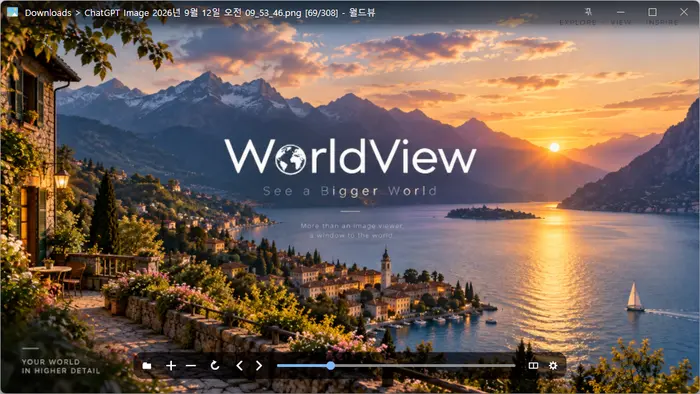
WorldView (0.9.3) has been updated.
更新
- 版本 0.9.3 (2026/09/24)
- 移除原有的基于 egui 的设置界面,改用更稳定的自定义 UI 引擎重建
- 改善受影响用户的快捷键输入和设置响应速度
- 新增图像概览,可查看完整图像并快速移动到任意区域
- 新增 EXIF 支持,可查看拍摄时间、相机、镜头和曝光信息
- 现在会保存偏好的缩放比例和查看模式,供下次启动时使用
- 改善原始尺寸查看:修复图像显示模糊以及 PDF 或 SVG 文件显示过大的问题
- 现在可分别打开多个窗口,不再相互遮挡
- 现在可直接使用 WorldView 打开 PDF 文件
- 提高更新检查的可靠性
- Open a wide variety of image formats, including JPEG, PNG, GIF, WebP, TIFF, BMP, and SVG.
- View compressed files such as ZIP, RAR, and 7Z, as well as PDF documents, without extracting them.
Website
- WorldView: https://worldview.kilho.net
历史记录
-
版本 0.9.3 (2026/09/24)
- 移除原有的基于 egui 的设置界面,改用更稳定的自定义 UI 引擎重建
- 改善受影响用户的快捷键输入和设置响应速度
- 新增图像概览,可查看完整图像并快速移动到任意区域
- 新增 EXIF 支持,可查看拍摄时间、相机、镜头和曝光信息
- 现在会保存偏好的缩放比例和查看模式,供下次启动时使用
- 改善原始尺寸查看:修复图像显示模糊以及 PDF 或 SVG 文件显示过大的问题
- 现在可分别打开多个窗口,不再相互遮挡
- 现在可直接使用 WorldView 打开 PDF 文件
- 提高更新检查的可靠性
-
版本 0.9.2 (2026/09/18)
- 自动保存最近的视图模式和缩放设置,供下次启动使用
- 新增单页、双页、条漫视图及封面设置的快捷控件
- 加快视图菜单访问速度,使用更便捷
- 在右键菜单中新增即时视图控件
- 扩展 PDF 和 TIFF 文件关联支持,并将匹配的图像格式归组
- 简化文件关联页面,名称和选项更清晰
-
版本 0.9.1 (2026/09/14)
- 新增 JFIF 图像支持
- 改善文件和删除对话框的显示效果
-
版本 0.9.0 (2026/09/12)
- 首次发布
Related Links
- Update notice: https://kilho.top/archives/notice/2940
License
- Use it freely anywhere, including at your company, home, government office, or school.
- You may freely distribute it anywhere.
下载文件
Frequently Asked Questions (FAQ)
- What image files can I open?
It supports more than 30 formats, including JPEG, PNG, GIF, WebP, TIFF, SVG, HEIC, AVIF, and camera RAW files. - Can I view images inside compressed files without extracting them?
Yes. Open a compressed file such as ZIP, RAR, 7Z, CBZ, or CBR to view its images one at a time. - Can I view PDF files?
Yes. Open a PDF document and flip through it one page at a time. - Can I view two pages side by side, like a comic book?
Yes. Turn on two-page view in the View menu. - Do GIF animations play?
Yes. It plays GIF, APNG, and animated WebP files. - Can I use it alongside other image viewers?
Yes. You can associate only the file extensions you want with WorldView.