There is a new post. Click here to view the latest post.
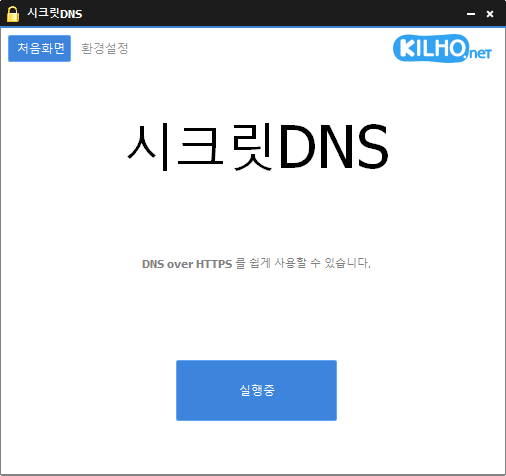
SecretDNS (3.9.3) has been updated.
- Using the Recommended options lets you add exceptions for only the sites you need, for a smoother experience.
- Fragments only the SNI string to minimize any loss of speed.
- You can enable SNI fragmentation and DNS features for only the domains you specify.
- Specify and use a DNS server without changing Windows settings.
- Easily check the domains you have accessed.
- Use it together with the proxy feature.
- Available without installation.
Website
- SecretDNS: https://secretdns.kilho.net
Recommended options
- DNS settings – Encryption (DoH)
- SNI settings – Fragmentation (Specify manually)
- Specified list – Enter the domains to apply this to
History
-
Version 3.9.3 (2026/07/30)
- Improved YouTube and Google video playback compatibility
- Addressed connectivity issues in certain IPv6 network environments
- Prevented unexpected closures caused by invalid server responses
- Improved Chrome settings stability
-
Version 3.9.2 (2026/07/07)
- Added a new Fake Packet option for stronger bypass compatibility
- Improved connection success rate and stability on some networks
- Applied the latest bypass method for better compatibility across various environments
- Added an easy toggle to enable or disable the Fake Packet feature
-
Version 3.9.1 (2026/06/12)
- Applied Fragment Extension support across all internet providers, including KT users
- Fragment Extension is now enabled by default on new installations
-
Version 3.9.0 (2026/05/23)
- Addressed startup and display issues caused by errors in some security software, including nProtect, Fasoo, and MarkAny
- Removed loading indicator that could conflict with errors in some security software
- Improved stability in environments affected by security software errors
-
Version 3.8.9 (2026/04/28)
- Improved handling of shutdown and restart issues on certain systems
- Enhanced stability by reducing delays and handling edge cases on some PCs
- Improved overall stability and reliability
Related links
- Update information: https://kilho.top/archives/notice/2940
- iPhone settings: https://gnu.kilho.net/tiptech/1330
License
- SecretDNS is freeware.
- You can use it freely anywhere, including at work, at home, in government offices, and at school.
- You are free to distribute it anywhere.
Download file
Frequently Asked Questions (FAQ)
- Why should I use the recommended options?
They make it easy to use features such as DNS spoofing protection and SNI snooping protection, while helping you maintain both speed and security. - Does SNI fragmentation slow things down?
No. This program fragments only the SNI string to minimize any loss of speed. - Do the DNS settings change Windows system settings?
No. It uses its own DNS settings (DNS over HTTPS) without changing Windows settings, making it stable and secure. - How can I fix problems accessing a particular site?
You can minimize access issues by configuring a whitelist or a list of specified domains. - Can I use it without installing it?
Yes. A portable version is available, so you can use it right away without going through an installation process.