
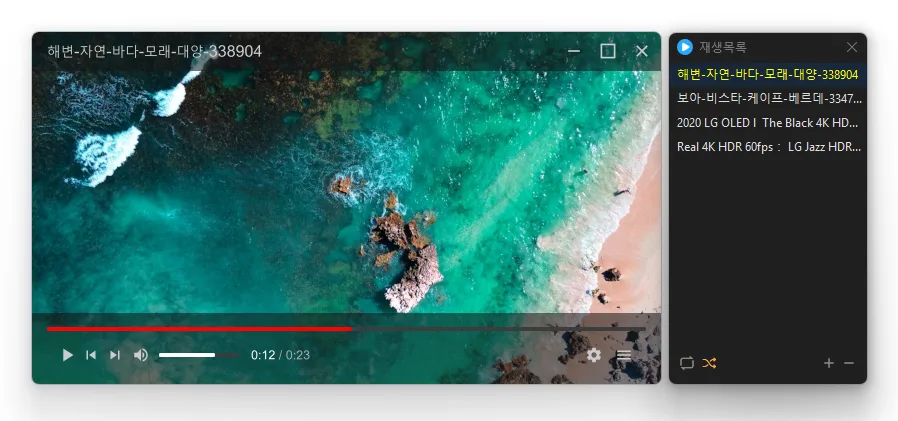
Update
- Fixed the Always on Top state changing after switching apps or closing Settings
- Fixed video duration appearing one second longer than the actual length
- Fixed playback crashes in some environments
- Fixed an error when closing the program after playback
- Prevented crashes when adding deeply nested folders to the list
- Plays many media formats right away, with no extra codecs to install.
- Hardware acceleration keeps high-resolution video smooth.
- Ready to use as soon as it is installed, and it stays light and fast.
Homepage
- KPlayer: https://kplayer.kilho.net
History
-
Version 1.1.7 (2026/10/16)
- Fixed previous videos retaining memory after switching to the next video on some systems
- Reduced memory usage when previewing 4K AV1 videos on some systems
- Added a spinning LP with a circular title display when playing music without cover art
- Fixed a brief white window appearing immediately after launch on some Windows 11 systems
- Changed opening an associated file to replace the existing playlist with the opened files
- Added playback progress to the taskbar button
- Added file name search to the playlist window
-
Version 1.1.6 (2026/10/08)
- Reduced excessive resource usage during video playback on affected systems
- Added frame previews when hovering over the progress bar with an on / off option in settings
- Improved language selection with automatic detection / nine languages, immediate application and matching default subtitle language
- Changed the playback time display to a digital clock style
- Fixed default subtitle visibility settings not applying when playing the next file
- Prevented duplicate shortcut assignments from clearing existing settings and added a message identifying the assigned action
- Fixed invisible or obscured playlist controls and improved window placement to remember its position and stay within the screen
-
Version 1.1.5 (2026/10/03)
- Fixed unexpected program exits during subtitle switching and other playback actions
-
Version 1.1.4 (2026/09/29)
- Added convenient options to play files in the running window or add them to its playlist
- Added automatic discovery and playback of the next media files in the same folder
- Improved multi-file opening to start smoothly from the first selected file
- Improved playlist scrollbar stability for users affected by visual shaking
- Fixed an issue where volume normalization might remain active with certain settings
- Refined the settings screen for a cleaner and faster experience
- Simplified screen size options to 50%, 100%, 150%, and 200%
- Enhanced overall stability and compatibility with modern environments
- Added automatic external subtitle detection based on video names and folders
- Added drag and drop support for applying subtitle files during playback
- Fixed subtitle display and playback issues affecting some users when loading subtitle files
- Improved SMI subtitle compatibility for files that were not automatically displayed in some cases
License
- KPlayer is open-source software.
- You can use it freely without restrictions on location, including at work, at home, in government offices, and at school.
- You are free to distribute it anywhere.
Download
 Download
(Windows)
(GitHub)
Frequently Asked Questions (FAQ)
- Is KPlayer free?
Yes, KPlayer is free to use anywhere, including at home, at work, in government offices, and at school. - Which video formats does it support?
It supports major media formats such as MP4, MKV, AVI, MOV, WMV, ASF, and MP3. - Does it include ads or adware?
No, KPlayer contains no ads or adware. No unwanted programs are installed alongside it. - Is it open source?
Yes, KPlayer is distributed as open-source software. You can inspect the source code yourself, and the software is developed transparently. - Can I add multiple files at once?
Yes, you can add multiple files or folders to the playlist at once by dragging and dropping them.
Related Links
- Program source code: https://github.com/newkilho/KPlayer
- Update information: https://kilho.top/archives/notice/2940