Update
- Fixed untranslated CPU clock, memory, and operating system information
- Fixed an issue where invalid date information could close the app
- Improved stability when loading PC information on some systems
- Fixed missing guidance for devices experiencing problems
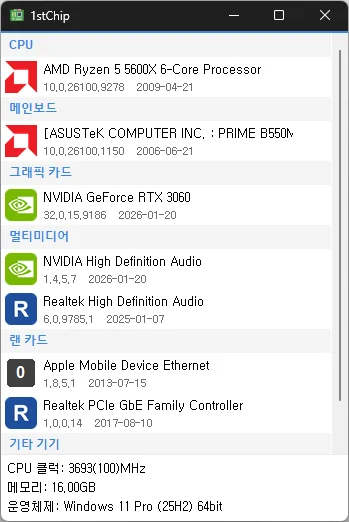
- Check your CPU, motherboard, graphics card, multimedia devices, network card, and other devices all on one screen
- Unzip and run it without installing, so you can carry it on a USB drive and use it anywhere
Homepage
- 1stChip : https://kilho.net/1stchip
History
-
Version 0.9.0 (2026/09/18)
- First Release
Related Links
- Update information : https://kilho.top/archives/notice/2940
Download
License
- 1stChip is open-source software.
- You can use it freely in any setting, including businesses, homes, government offices, and schools.
- You are free to distribute it anywhere.
Frequently Asked Questions (FAQ)
- Does it automatically install drivers?
No. It tells you whether your drivers are up to date and directs you to the download page.
You can install drivers yourself using the manufacturer’s files. - Can I use it without an internet connection?
Yes. You can check your system specifications and installed drivers offline. An internet connection is only needed to check for the latest drivers. - Does it show ads?
No. There are no ads. - Can I use it without installing it?
Yes. It’s portable, so you can unzip it and run it right away. - Is it paid?
No. It’s free (freeware).