Update
- Completely refreshed for a lighter and more reliable experience
- Improved prevention of screen timeout, sleep mode, and unexpected Away status in apps such as Teams
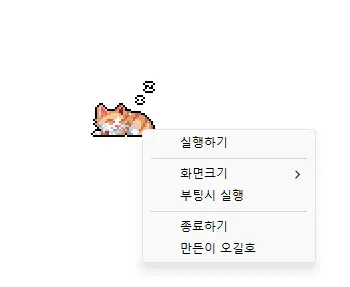
- Added 100%, 200%, and 400% display size options
- Automatic saving of window position and display size, with improved multi-monitor placement
- Prevents your computer from entering sleep mode or turning off the screen while you work.
- Use it without adjusting Windows power and sleep settings.
- Does not change Windows settings.
- Ready to use without installation.
Homepage
- StayOn : https://kilho.net/stayon
History
-
Version 1.0.2 (2024/11/25)
- Completely removed Delphi VCL Styles.
- Resolved Direct2D errors occurring on specific computer environments
- Enhanced HiDPI optimization.
-
Version 1.0.1 (2024/11/16)
- Added support for Italian, French, and Russian
- Updated DzHTMLText library
-
Version 1.0.0 (2024/11/03)
- Improved update notification module.
- Multilingual support
-
Version 0.9.0 (2024/01/10)
- First Release
Related Links
- Program overview : https://kilho.net/stayon
- Update information : https://kilho.top/archives/notice/2940
Download
License
- StayOn is freeware.
- You can use it freely in any setting, including at work, at home, in government offices, and at school.
- You may freely distribute it anywhere.
Frequently Asked Questions (FAQ)
- What does this program do?
It prevents your computer from entering sleep mode or turning off the screen when the screensaver starts while you work. - Do I need to change Windows power settings myself?
No, you don’t need to adjust Windows power and sleep settings. Sleep mode and screen turnoff are suspended only while StayOn is running. - Are any Windows settings changed?
No, it does not change Windows settings. When you exit StayOn, your computer returns to its original power settings. - Is installation required?
No, you can run the downloaded file directly without installing it. - Does it include ads or adware?
No, StayOn contains no ads or adware. No unnecessary programs are installed along with it. - Can I use it for free?
Yes, StayOn is freeware and can be used for free anywhere, including at work, at home, in government offices, and at school.