You can use it freely anywhere, including at work, at home, in government offices, and at school.
You may distribute it freely anywhere.
Frequently Asked Questions (FAQ)
Does it install drivers automatically? No. It tells you whether newer drivers are available and directs you to the download page. You can install them yourself using files from the manufacturer.
Can I use it without an internet connection? Yes. You can check your specs and installed drivers offline. An internet connection is only needed to check for newer drivers.
Does it show ads? No, there are no ads.
Can I use it without installing it? Yes. It is portable: just unzip it and run it.
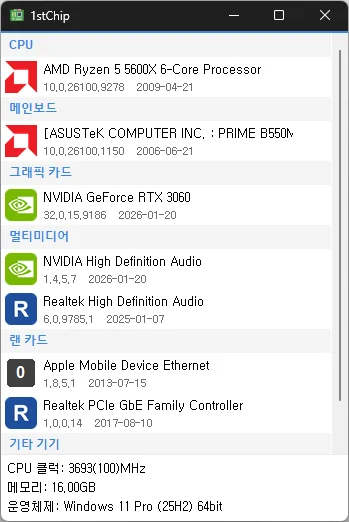
Fixed untranslated CPU clock, memory, and operating system information Fixed an issue where invalid date information could close the app Improved stability when loading PC information on some systems Fixed missing guidance for devices experiencing problems Check your CPU, motherboard, graphics card, multimedia devices, network card, and other devices all on one screen Unzip and run it without installing, so you can carry it on a USB drive and use it anywhere
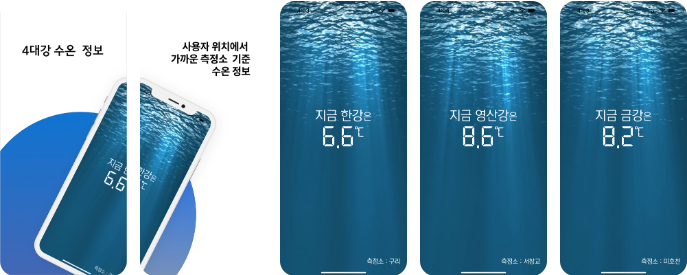
“Han River Gazua” is an app that provides water temperature information for the four major rivers. It provides water temperature information from the nearest measurement station based on your location. It provides water temperature information for the Han, Geum, Nakdong,…
Fixed an issue where some users could lose their previous settings after stopping optimization Improved restoration to keep unselected settings unchanged Improved reliability so remaining changes can be reverted after an unsuccessful setup Improved compatibility for safely stopping optimization started in previous versions Accurately detects and configures the active network. Changes the network throttling index. Disables the Nagle algorithm. Can be used without installation.
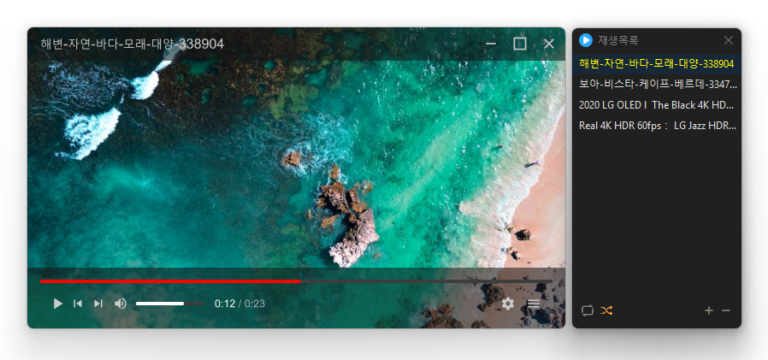
Added convenient options to play files in the running window or add them to its playlist Added automatic discovery and playback of the next media files in the same folder Improved multi-file opening to start smoothly from the first selected file Improved playlist scrollbar stability for users affected by visual shaking Fixed an issue where volume normalization might remain active with certain settings Refined the settings screen for a cleaner and faster experience Simplified screen size options to 50%, 100%, 150%, and 200% Enhanced overall stability and compatibility with modern environments Added automatic external subtitle detection based on video names and folders Added drag and drop support for applying subtitle files during playback Fixed subtitle display and playback issues affecting some users when loading subtitle files Improved SMI subtitle compatibility for files that were not automatically displayed in some cases Supports major video formats, including MP4, MKV, AVI, MOV, WMV, and ASF Powerful playback features based on LibMPV Reorder items by dragging them in the list Add files instantly by dragging and dropping them
Enhanced image upload security and failure handling Fixed WebP save errors and empty file creation Fixed recording startup and status issues in some environments Improved screen capture and drag capture stability Prevented existing files from being overwritten during rapid consecutive captures Prevented OCR and configuration errors Improved duplicate application launch prevention Improved capture area size and position saving Enhanced overall application stability Supports a variety of capture areas. Can capture entire web pages. Supports a variety of image file formats. Extracts text using OCR. Supports floating images. Creates shareable links through its image library. Can record video. Can extract colors. Can be used without installation.
Meet the refreshed ImageConverter, with a more convenient way to start converting Choose your preferred image size more easily Improved the update experience so you can keep using your existing settings Improved right-click conversion in Windows Laid the groundwork for support on more operating systems Convert between a variety of image formats. Save JPG files with a higher compression ratio using MozJPEG. PDF files are saved as separate image files for each page. Transparent backgrounds are preserved when saving as PNG or WEBP. Convert images from the right-click context menu. Use without installation.