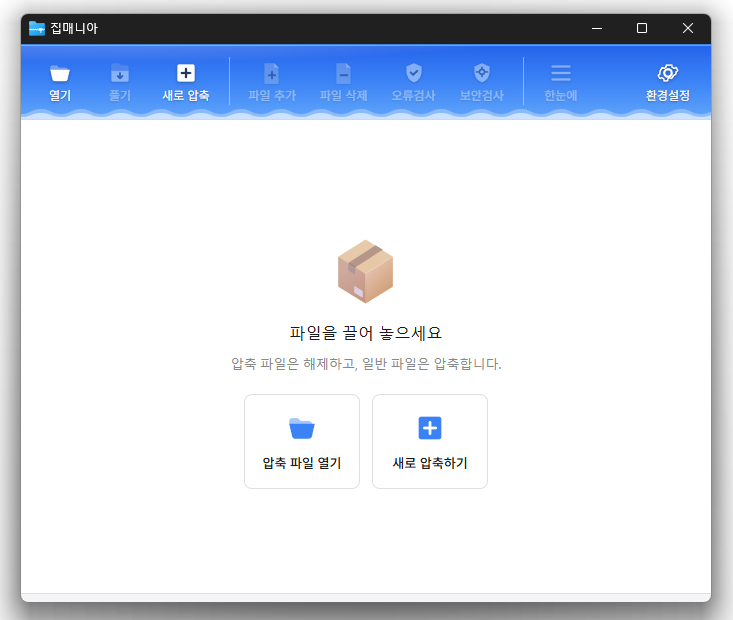
Update
- Fixed compression and extraction windows appearing behind File Explorer
- Improved update checks on company networks
- Improved keyboard navigation between folders
- Simplified the Settings screen
- Added archive names to window titles
- Reduced app size and refined the interface
- You can open a variety of archive formats, including ZIP, RAR, 7Z, EGG, ALZ, and ISO.
- Compress and extract files quickly with the dedicated ZIP engine.
Website
- ZipMania: https://zipmania.kilho.net
History
-
Version 0.9.9 (2026/09/21)
- Completely rebuilt ZipMania with its own GUI engine
- Removed Tauri to improve launch speed and interface responsiveness by approximately 9 times
- Improved launch issues and interface delays affecting some user environments
- Simplified startup without requiring additional components
- Improved usability and stability across file lists and key screens
-
Version 0.9.8 (2026/09/18)
- Enhanced command-line compression and extraction for better integration with external tools
- Improved compatibility with commonly used 7-Zip and Bandizip commands
- Added the new zm.exe for more reliable task completion and result checking
- Added command-line support for extraction, file listing, integrity testing, and more
- Added archive verification and automatic source deletion after compression
- Added support for adding files directly to existing archives
- Added batch extraction into separate folders named after each archive
- Added options to extract selected files or extract without folder structures
- Improved file listing and extraction support for split archives
- Enhanced file conflict handling with overwrite, skip, and rename options
- Added real-time display of progress, speed, remaining time, and current file
- Fixed file timestamp differences in certain environments
- Improved stability when opening files and performing compression or extraction
- Refined the top interface design for better usability
-
Version 0.9.6 (2026/09/16)
- Added split archives, making large files easier to store, share, and transfer
- Open and extract multi-part archives by simply selecting the first file
- Compress files silently from Total Commander, backup tools, and other external apps
- Improved file safety to prevent incomplete archives after canceled or unsuccessful tasks
- Added protection against old split files being mixed with newly created archives
- Made minor improvements to Dark Mode colors and appearance
-
Version 0.9.5 (2026/09/10)
- Improved archive menus that could disappear or display incorrectly on some PCs
- Improved update reliability so new features apply more consistently
- Made progress, failed items, and missing files easier to check at a glance
- Added quick access to the result folder after each job
- Made frequently used folders and drives easier to find
- Adjusted progress and completion windows for a more comfortable view
Related Links
- Program source code: https://github.com/newkilho/ZipMania
- Update information: https://kilho.top/archives/notice/2940
Download
License
- ZipMania is open-source software.
- You can use it freely in any setting, including offices, homes, government offices, and schools.
- You are free to distribute it anywhere.
Frequently Asked Questions (FAQ)
- Which archive formats are supported?
You can open a variety of archive formats, including ZIP, RAR, 7Z, EGG, ALZ, and ISO. - Does it include ads or adware?
No, ZipMania is free of ads and adware. No unnecessary programs are installed along with it. - Is it open source?
Yes, ZipMania is distributed as open-source software. You can inspect the source code yourself, and the software is developed transparently. - Can I view files without extracting them?
Yes, you can preview image and text files without extracting them. - Can I compress or extract files directly from File Explorer?
Yes, you can compress or extract files directly from the right-click menu in Windows File Explorer.