Update
- Added quick book navigation to move between folders, archives, and PDFs
- PDFs in the same folder now appear alongside your images
- Improved image quality by preventing small images from being enlarged and blurred
- Improved PDF loading for users affected by opening issues
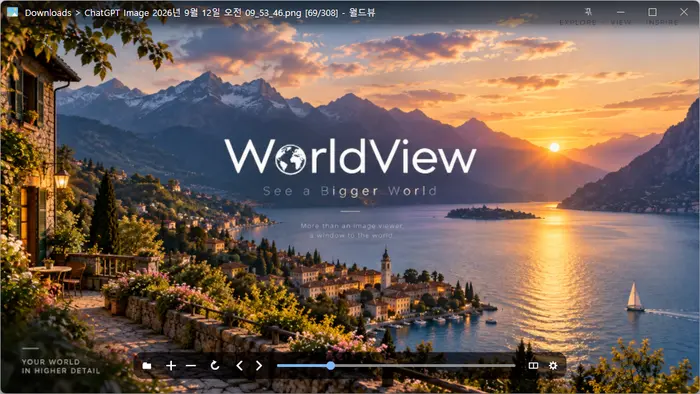
- Open a wide variety of image formats, including JPEG, PNG, GIF, WebP, TIFF, BMP, and SVG.
- View compressed files such as ZIP, RAR, and 7Z, as well as PDF documents, without extracting them.
Website
- WorldView: https://worldview.kilho.net
History
-
Version 0.9.3 (2026/09/24)
- Removed the existing egui based settings and rebuilt them with a more stable custom UI engine
- Improved shortcut input and settings responsiveness for affected users
- Added an image overview for checking the full image and quickly moving to any area
- Added EXIF support for viewing capture time, camera, lens, and exposure information
- Your preferred zoom and viewing mode are now saved for the next launch
- Improved original size viewing for images that appeared blurry and PDF or SVG files that appeared too large
- Multiple windows now open separately instead of covering each other
- PDF files can now be opened directly with WorldView
- Improved the reliability of update checks
-
Version 0.9.2 (2026/09/18)
- Automatically saves your latest view mode and zoom setting for the next launch
- Added quick controls for single page/two page/webtoon view and cover settings
- Made the view menu faster and easier to access
- Added instant view controls to the right click menu
- Expanded PDF and TIFF file association support and grouped matching image formats
- Simplified the file association page with clearer names and options
-
Version 0.9.1 (2026/09/14)
- Added JFIF image support
- Improved file and delete dialog visibility
-
Version 0.9.0 (2026/09/12)
- First Release
Related Links
- Update Notice: https://kilho.top/archives/notice/2940
License
- Use it freely anywhere, including at work, at home, in government offices, and at school.
- You may freely distribute it anywhere.
Download
Frequently Asked Questions (FAQ)
- What image files can I open?
It supports more than 30 formats, including JPEG, PNG, GIF, WebP, TIFF, SVG, HEIC, AVIF, and camera RAW formats. - Can I view images inside compressed files without extracting them?
Yes. Open compressed files such as ZIP, RAR, 7Z, CBZ, and CBR to view the images inside one at a time. - Can I view PDFs?
Yes. Open a PDF document and flip through it one page at a time. - Can I view two pages side by side, like a book?
Yes. Turn on Two-Page View in the View menu. - Do GIF animations play?
Yes. It plays GIF, APNG, and animated WebP files. - Can I use it alongside other image viewers?
Yes. You can associate only the file extensions you want with WorldView.