Kilho.net

Category: Update

Update

KCleaner 4.0.0 Update

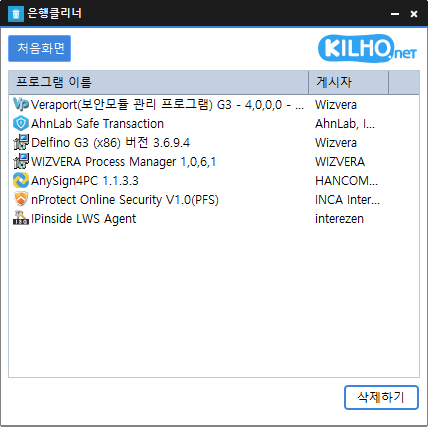
Reduced the risk of memory related errors and improved reliability by porting to Rust Added file cleanup with options to choose what to remove Improved startup program and service lists for easier management Easily remove security (?) programs that must be installed to access banking websites. Cleanly terminate malware disguised with the same filenames as Windows system processes. Essential drivers (graphics, sound) are not terminated.(Terminating drivers may reduce performance.) Trusted antivirus software is not terminated. Easily disable items that slow down Explorer (such as toolbars). Use without installation.
Read more — KCleaner 4.0.0 Update
Update

StartCleaner 2.0.0 Update

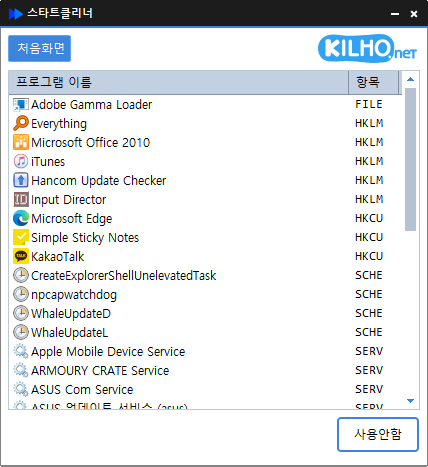
Improved performance and reliability with a new Rust port Manage startup programs and services quickly in one place Refined lists and workflows for easier access to key features Easily manage programs that run automatically at startup. Manage various items in one place, including the Startup folder, registry, Task Scheduler, and services. Safely change settings by disabling items instead of deleting them.

Read more — StartCleaner 2.0.0 Update
Update

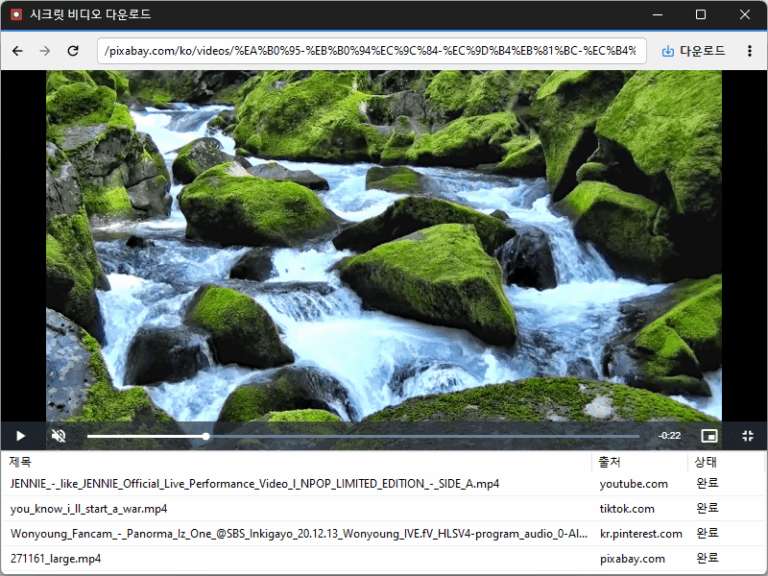
Secret Video 1.3.3 Update

Improved downloads from older video links Added support for videos that open at a new address Improved downloads in some cases where video details were unavailable Conveniently watch videos from various websites, including OTT services. Easily save publicly available videos in your preferred quality and format.

Read more — Secret Video 1.3.3 Update
Update

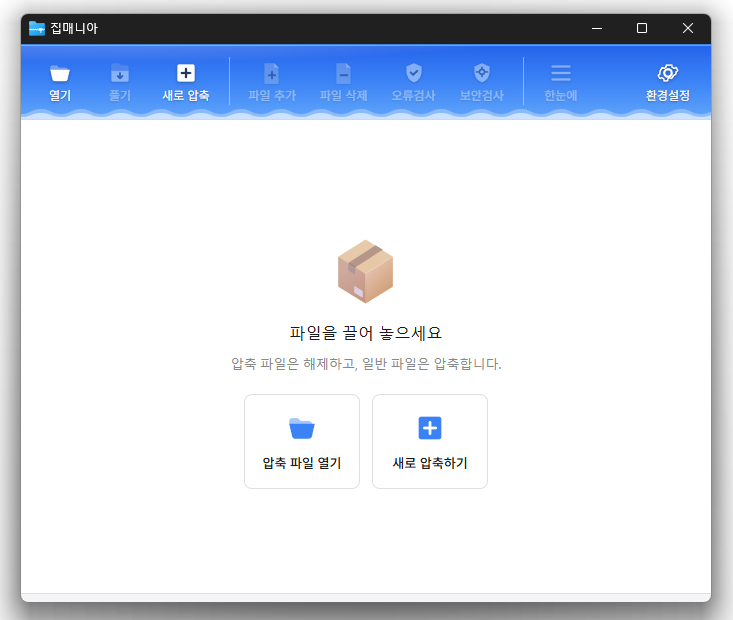
ZipMania 1.0.0 Update

Fixed compression and extraction windows appearing behind File Explorer Improved update checks on company networks Improved keyboard navigation between folders Simplified the Settings screen Added archive names to window titles Reduced app size and refined the interface You can open a variety of archive formats, including ZIP, RAR, 7Z, EGG, ALZ, and ISO. Compress and extract files quickly with the dedicated ZIP engine.

Read more — ZipMania 1.0.0 Update
Update

WorldView 0.9.4 Update

Added quick book navigation to move between folders, archives, and PDFs PDFs in the same folder now appear alongside your images Improved image quality by preventing small images from being enlarged and blurred Improved PDF loading for users affected by opening issues Open a wide variety of image formats, including JPEG, PNG, GIF, WebP, TIFF, BMP, and SVG. View compressed files such as ZIP, RAR, and 7Z, as well as PDF documents, without extracting them.

Read more — WorldView 0.9.4 Update
Update

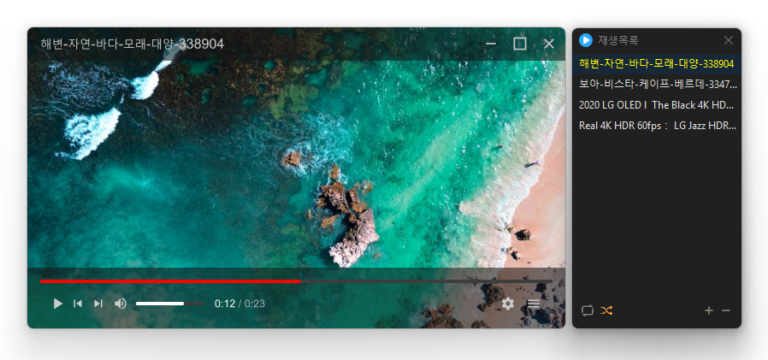
KPlayer 1.1.4 Update

Added convenient options to play files in the running window or add them to its playlist Added automatic discovery and playback of the next media files in the same folder Improved multi-file opening to start smoothly from the first selected file Improved playlist scrollbar stability for users affected by visual shaking Fixed an issue where volume normalization might remain active with certain settings Refined the settings screen for a cleaner and faster experience Simplified screen size options to 50%, 100%, 150%, and 200% Enhanced overall stability and compatibility with modern environments Added automatic external subtitle detection based on video names and folders Added drag and drop support for applying subtitle files during playback Fixed subtitle display and playback issues affecting some users when loading subtitle files Improved SMI subtitle compatibility for files that were not automatically displayed in some cases Supports major video formats, including MP4, MKV, AVI, MOV, WMV, and ASF Powerful playback features based on LibMPV Reorder items by dragging them in the list Add files instantly by dragging and dropping them

Read more — KPlayer 1.1.4 Update
Update

MemoryCleaner 3.0.0 Update

Completely rebuilt from Delphi in pure C for a faster and more stable MemoryCleaner Reduced background memory usage by more than 95 percent for lighter long term operation Reduced the application size by approximately 98 percent for faster startup and a smaller footprint Added the option to choose exactly which memory areas to clean Added a new automatic cleanup feature that clears cached memory when available memory runs low Added cached memory size and usage information directly to the main screen Improved default cleanup settings to help reduce interruptions while gaming or watching videos Fixed an issue where cleanup could appear to fail on some PCs when a specific item was unavailable Enhanced error detection to help identify and resolve unexpected shutdowns faster Added a button to restore all settings to their defaults Fixed an issue where update checks might not complete correctly on some PCs Removed unnecessary permission requests and improved overall reliability Cleans various memory areas. Automatically cleans memory according to your settings. Can be used without installation.

Read more — MemoryCleaner 3.0.0 Update
Update

Kalmuri 4.3.1 Update

Enhanced image upload security and failure handling Fixed WebP save errors and empty file creation Fixed recording startup and status issues in some environments Improved screen capture and drag capture stability Prevented existing files from being overwritten during rapid consecutive captures Prevented OCR and configuration errors Improved duplicate application launch prevention Improved capture area size and position saving Enhanced overall application stability Supports a variety of capture areas. Can capture entire web pages. Supports a variety of image file formats. Extracts text using OCR. Supports floating images. Creates shareable links through its image library. Can record video. Can extract colors. Can be used without installation.

Read more — Kalmuri 4.3.1 Update
Update

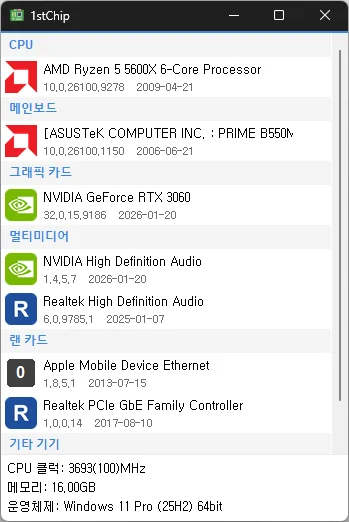
1stChip 0.9.1 Update

Fixed untranslated CPU clock, memory, and operating system information Fixed an issue where invalid date information could close the app Improved stability when loading PC information on some systems Fixed missing guidance for devices experiencing problems Check your CPU, motherboard, graphics card, multimedia devices, network card, and other devices all on one screen Unzip and run it without installing, so you can carry it on a USB drive and use it anywhere

Read more — 1stChip 0.9.1 Update
Update

KTimer 2.0.0 Update

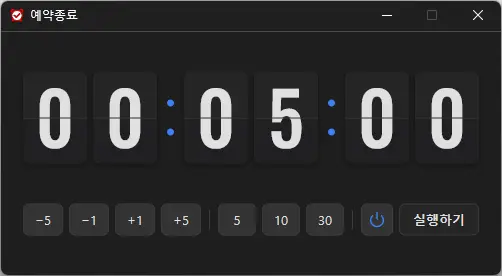
Introduced a stylish flip clock design for faster time checking Added intuitive buttons for quicker and easier time setup Improved shutdown and sleep selection with clear visual icons Applied sharper number styling and colors optimized for the dark interface Improved display behavior and reliability in certain user environments Refreshed the entire app for a lighter and smoother experience A scheduled shutdown program for computers. Shuts down your computer at a specified time. Includes a screenshot feature so you can check what was happening just before shutdown. Can be used without installation.

Read more — KTimer 2.0.0 Update
Update

ImageConverter 2.0.0 Update

Meet the refreshed ImageConverter, with a more convenient way to start converting Choose your preferred image size more easily Improved the update experience so you can keep using your existing settings Improved right-click conversion in Windows Laid the groundwork for support on more operating systems Convert between a variety of image formats. Save JPG files with a higher compression ratio using MozJPEG. PDF files are saved as separate image files for each page. Transparent backgrounds are preserved when saving as PNG or WEBP. Convert images from the right-click context menu. Use without installation.

Read more — ImageConverter 2.0.0 Update