You can use it freely at home, at work, in government offices, at school, and anywhere else.
You are free to distribute it anywhere.
History
Version 0.9.0 (2017/07/04)
Initial release
Frequently Asked Questions (FAQ)
Is BankCleaner free? Yes, BankCleaner is free to use at home, at work, in government offices, at school, and elsewhere.
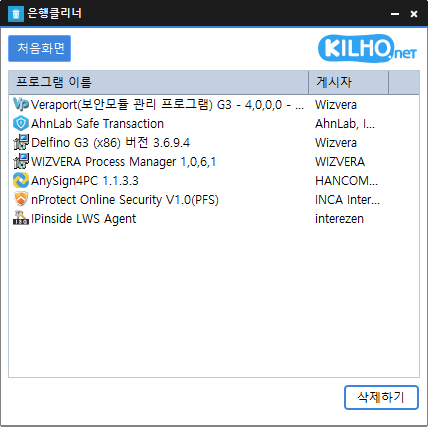
Can it remove security programs from all banks? We have confirmed that it removes programs installed by major banks, including KB Kookmin Bank, IBK, Woori Bank, and NongHyup.
Is it safe to uninstall programs? BankCleaner only launches the uninstaller provided by each security program.
Do I need to install it? No, you can run it as soon as you download it, without any installation.
Examples of Use
Cleanly remove unnecessary security programs left behind after online banking to speed up your PC.
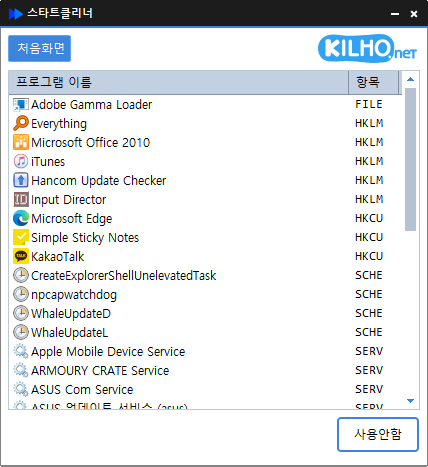
Safely stop unnecessary bank-related programs from launching automatically and free up your computer’s resources.
Clean up your PC regularly to keep it running smoothly after online banking.
Tips
Click or drag items you don’t need in the program list to remove them all at once.
Use BankCleaner regularly to clear processes left behind after online banking and keep your system clean.
Run it right after banking to remove unnecessary programs immediately, helping protect your privacy and security.
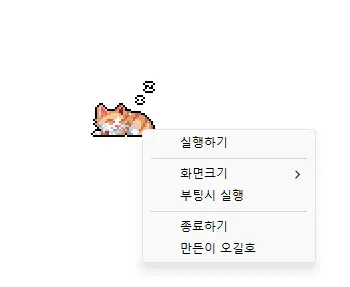
Completely refreshed for a lighter and more reliable experience Improved prevention of screen timeout, sleep mode, and unexpected Away status in apps such as Teams Added 100%, 200%, and 400% display size options Automatic saving of window position and display size, with improved multi-monitor placement Prevents your computer from entering sleep mode or turning off the screen while you work. Use it without adjusting Windows power and sleep settings. Does not change Windows settings. Ready to use without installation.
Reduced the risk of memory related errors and improved reliability by porting to Rust Added file cleanup with options to choose what to remove Improved startup program and service lists for easier management Easily remove security (?) programs that must be installed to access banking websites. Cleanly terminate malware disguised with the same filenames as Windows system processes. Essential drivers (graphics, sound) are not terminated.(Terminating drivers may reduce performance.) Trusted antivirus software is not terminated. Easily disable items that slow down Explorer (such as toolbars). Use without installation.
Improved performance and reliability with a new Rust port Manage startup programs and services quickly in one place Refined lists and workflows for easier access to key features Easily manage programs that run automatically at startup. Manage various items in one place, including the Startup folder, registry, Task Scheduler, and services. Safely change settings by disabling items instead of deleting them.
Fixed an issue where some users could lose their previous settings after stopping optimization Improved restoration to keep unselected settings unchanged Improved reliability so remaining changes can be reverted after an unsuccessful setup Improved compatibility for safely stopping optimization started in previous versions Accurately detects and configures the active network. Changes the network throttling index. Disables the Nagle algorithm. Can be used without installation.
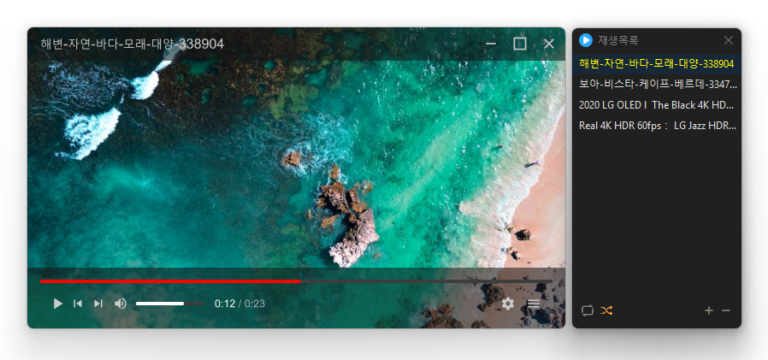
Added convenient options to play files in the running window or add them to its playlist Added automatic discovery and playback of the next media files in the same folder Improved multi-file opening to start smoothly from the first selected file Improved playlist scrollbar stability for users affected by visual shaking Fixed an issue where volume normalization might remain active with certain settings Refined the settings screen for a cleaner and faster experience Simplified screen size options to 50%, 100%, 150%, and 200% Enhanced overall stability and compatibility with modern environments Added automatic external subtitle detection based on video names and folders Added drag and drop support for applying subtitle files during playback Fixed subtitle display and playback issues affecting some users when loading subtitle files Improved SMI subtitle compatibility for files that were not automatically displayed in some cases Supports major video formats, including MP4, MKV, AVI, MOV, WMV, and ASF Powerful playback features based on LibMPV Reorder items by dragging them in the list Add files instantly by dragging and dropping them
Fixed shorter wait times affecting some older saved records Preserved custom click interval ranges when changing settings Added a notification when another program is using the same hotkey Improved responsiveness by reducing unnecessary delays after double clicks Prevented continuous clicking caused by an invalid repeat count An automatic mouse-clicking program. Use it with multiple patterns by adding times and coordinates. Configure click details. Use it without installation.