Update · 2026-10-15
Wide view
Default view
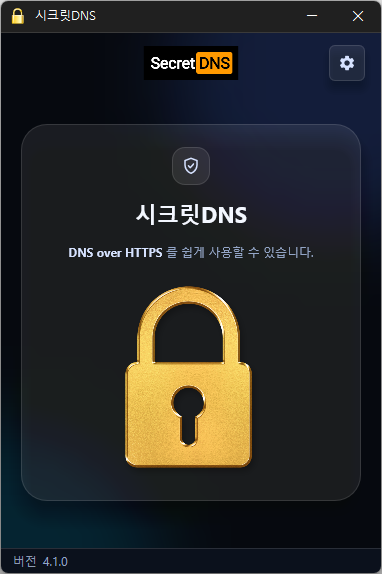
SecretDNS 4.1.0 Update
Update Improved connection stability through refined connection handling and response validation Reduced initial connection delays for websites using QUIC Fixed downloads or connection handling stalling while using the proxy on affected systems Fixed address lookups incorrectly accepting responses to earlier requests Added an alert when startup settings cannot be changed and prevented incorrect setting status from being displayed Only specified domains can perform SNI fragmentation. Secure your DNS with DNS over HTTPS. The ability to bypass SNI eavesdropping (HTTP/HTTPS) is included. Fragmentation of only the SNI string to minimize slowdown. Minimize access problems through whitelisting. It is used by specifying a DNS server through packet bypass without changing Windows settings. You can easily check the information of the accessed site.
Recommended Options
Website
Recommended Options
DNS Settings – Encryption (DOH)
SNI Settings – Fragmentation (Custom)
Specified List – Enter the domains to apply the settings to
History
Version 4.0.6 (2026/10/10)
Changed existing options to reset to defaults once when updating
Prevented updates from overwriting user-configured DNS lists
Version 4.0.5 (2026/09/15)
Improved VPN stability with automatic server switching
Made VPN activity easier to identify in connection history
Version 4.0.4 (2026/09/14)
Improved the update process and automatic startup reliability
Redesigned Proxy Mix completely for more stable connections
Added an easy way to choose and edit websites that use Proxy Mix
Added saving of Proxy Mix preferences between app launches
Added options to add and select your preferred DNS servers
Improved encrypted DNS connectivity in some network environments
Added domain address support and a new Cloudflare endpoint
Added clearer guidance for selecting another server when encrypted DNS fails
Made DNS settings easier to understand and use
Simplified connection status messages for better clarity
Version 4.0.2 (2026/09/04)
Fixed intermittent internet interruptions on certain networks
Improved connection continuity without requiring users to turn off SecretDNS
Added automatic DNS server switching for a more reliable connection
Improved website access during temporary DNS errors and traffic spikes
Added automatic restoration of encrypted connections when the network becomes stable
License
SecretDNS is freeware.
You can use it freely in any setting, including offices, homes, government agencies, and schools.
You are free to distribute it anywhere.
Download
Frequently Asked Questions (FAQ)
Why should I use the Recommended Options?
Does the SNI fragmentation feature slow down connection speeds?
Do the DNS settings change Windows system settings?
How can I fix connection problems with a specific site?
Can I use it without installing it?
Related Links