Notice ·

OpenSide 1.0.1 Update

Update

  • Fixed issues reading content or clicking buttons in chat/customer support windows on some websites
  • Prevented actions from targeting the wrong area when new areas appeared on a page
  • Improved connection issue investigation by including browser connection history in feedback reports
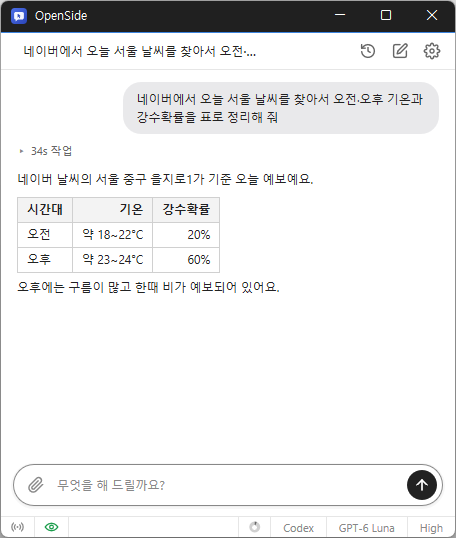
  • Tell AI what you need, and it handles searches, clicks, and typing.
  • Automate repetitive tasks like filling out forms and collecting data.
  • Use your existing Chrome or Edge browser and stay signed in.
  • Request tasks and receive results from anywhere via Telegram.
  • Save collected data to Excel.

Homepage

History

  • Version 1.0.0 (2026/10/04)
    • First Release

License

  • OpenSide is freeware.
  • You can use it freely in any setting, including offices, homes, government agencies, and schools.
  • You may freely distribute it anywhere.

Download

Frequently Asked Questions (FAQ)

  • Is it free?
    Yes. OpenSide is freeware.
    AI usage fees depend on the plan for the AI account or API key you use.
  • Does it show ads?
    No. There are no ads.
  • Can I use it without installing it?
    Yes. Extract the portable version (ZIP) and run OpenSide.exe.
  • Can I use AI services other than ChatGPT?
    Yes. Add your Claude, OpenAI, and Gemini API keys, then switch between them right from the chat screen.
  • Can I use the browser while the AI is working?
    Yes. The AI only operates in the tab where it is working, so you can continue what you were doing in other tabs.

Related Links

Leave a Reply

Your email address will not be published. Required fields are marked *