Update · 2026-10-19
Wide view
Default view
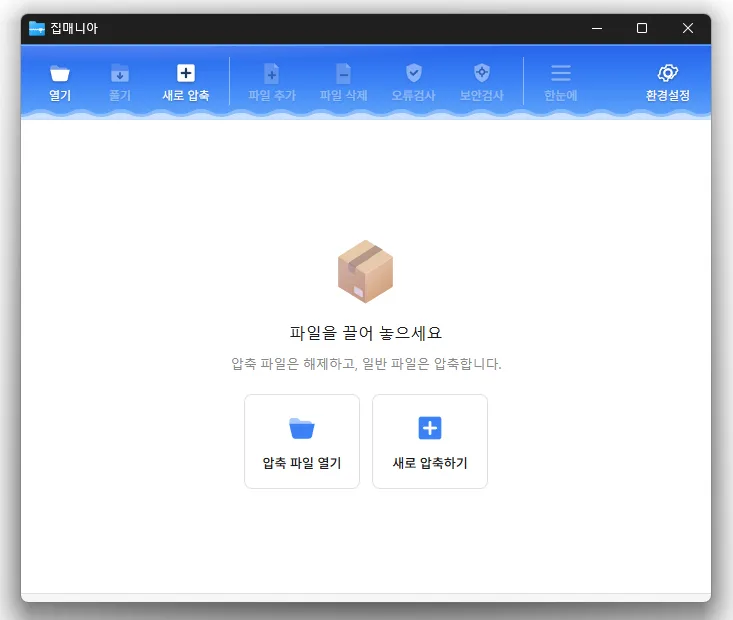
ZipMania 1.0.2 Update
Update Changed how commands appear in the Windows 11 legacy menu Added macOS support Opens a wide range of archive formats, including ZIP, RAR, 7Z, EGG, ALZ, and ISO. Previews images and text without extracting the archive. Uses a dedicated ZIP engine for fast compression and extraction. Supports password protection, filename encryption, and split archives. Compresses and extracts files directly from the Windows Explorer context menu. Free to use with no ads or bundled software. Homepage
History
Version 1.0.1 (2026/10/12)
Fixed column headings becoming misaligned with content when scrolling the file list horizontally
Refined window title bar and border design
Improved Arabic screen layout, menus, file selection and width adjustment
Updated toolbar icon design and adjusted icon colors in dark mode
Improved theme selection in settings with a dropdown list
Improved the appearance of the divider between folder and file lists and column resizing lines
Version 1.0.0 (2026/09/30)
Fixed compression and extraction windows appearing behind File Explorer
Improved update checks on company networks
Improved keyboard navigation between folders
Simplified the Settings screen
Added archive names to window titles
Reduced app size and refined the interface
Version 0.9.9 (2026/09/21)
Rebuilt ZipMania with its own GUI engine
Removed Tauri to improve launch speed and interface responsiveness by approximately 9 times
Improved launch issues and interface delays affecting some user environments
Simplified startup without requiring additional components
Improved usability and stability across file lists and key screens
Version 0.9.8 (2026/09/18)
Enhanced command-line compression and extraction for better integration with external tools
Improved compatibility with commonly used 7-Zip and Bandizip commands
Added the new zm.exe for more reliable task completion and result checking
Added command-line support for extraction, file listing, integrity testing, and more
Added archive verification and automatic source deletion after compression
Added support for adding files directly to existing archives
Added batch extraction into separate folders named after each archive
Added options to extract selected files or extract without folder structures
Improved file listing and extraction support for split archives
Enhanced file conflict handling with overwrite, skip, and rename options
Added real-time display of progress, speed, remaining time, and current file
Fixed file timestamp differences in certain environments
Improved stability when opening files and performing compression or extraction
Refined the top interface design for better usability
Download
License
ZipMania is open-source software.
You can use it freely in any setting, including at a company, at home, in government offices, or at school.
You are free to distribute it anywhere.
Frequently Asked Questions (FAQ)
Which archive formats does it support?
Does it include ads or adware?
Is it open source?
Can I view files without extracting them?
Can I create or extract archives directly from File Explorer?
Related Links