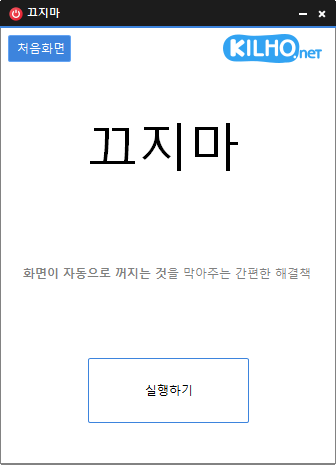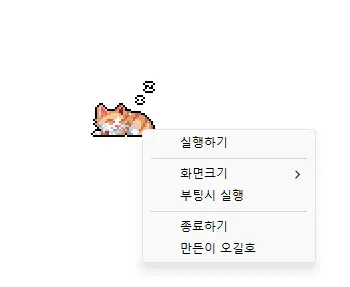
StayOn (2.0.0) has been updated.
更新
- 版本 2.0.0 (2026/09/21)
- 全面焕新,体验更轻快、更可靠
- 改进屏幕超时、睡眠模式及 Teams 等应用中意外显示为“离开”状态的防止机制
- 新增 100%、200% 和 400% 显示缩放选项
- 自动保存窗口位置和显示缩放设置,并改进多显示器布局
- Prevents your computer from going to sleep or turning off the screen while you work.
- You can use it without changing the Windows power and sleep settings.
- It does not change Windows settings.
- No installation is required.
历史记录
-
版本 2.0.0 (2026/09/21)
- 全面焕新,体验更轻快、更可靠
- 改进屏幕超时、睡眠模式及 Teams 等应用中意外显示为“离开”状态的防止机制
- 新增 100%、200% 和 400% 显示缩放选项
- 自动保存窗口位置和显示缩放设置,并改进多显示器布局
-
版本 1.0.2 (2024/11/25)
- 完全移除 Delphi VCL Styles。
- 解决特定计算机环境中出现的 Direct2D 错误
- 改进高 DPI 优化。
-
版本 1.0.1 (2024/11/16)
- 新增意大利语、法语和俄语支持
- 更新 DzHTMLText 库
-
版本 1.0.0 (2024/11/03)
- 改进更新通知模块。
- 支持多语言
-
版本 0.9.0 (2024/01/10)
- 首次发布
Related Links
- About the program: https://v2.kilho.net/stayon
- Update information: https://kilho.top/archives/notice/2940
下载文件
License
- StayOn is freeware.
- You can use it freely anywhere, including at work, at home, in government offices, and at school.
- You may freely distribute it anywhere.
Frequently Asked Questions (FAQ)
- What does this program do?
It prevents your computer from going to sleep or turning off the screen because a screensaver starts while you work. - Do I need to change the Windows power settings myself?
No. You don’t need to adjust the Windows power and sleep settings. Sleep mode and screen shutoff are disabled only while StayOn is running. - Does it change Windows settings?
No. It does not change Windows settings. When you close StayOn, your computer returns to its original power settings. - Does it need to be installed?
No. You can run the downloaded file directly without installing it. - Does it include ads or adware?
No. StayOn contains no ads or adware, and it does not install any unwanted programs. - Can I use it for free?
Yes. StayOn is freeware and can be used for free anywhere, including at work, at home, in government offices, and at school.