Kilho.net

Category: Update

Update

Nemo 0.9.9 Update

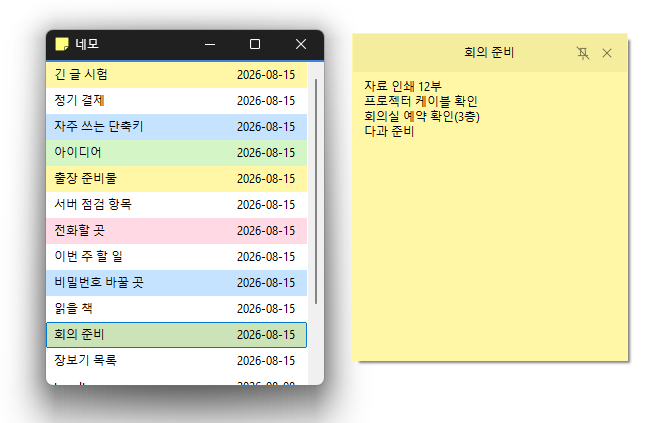
Completely rebuilt the program for faster and more reliable performance. Your notes are automatically saved to the server, so you can use Nemo with peace of mind. The position, size, and pinned state of your notes are remembered and restored when you relaunch the app. Use different colors to organize your notes and find what you need at a glance. View and manage the same notes on your PC and on the web. Your account is protected with a secure login method.

Read more — Nemo 0.9.9 Update
Update

Kalmuri 4.2.7 Update

Fixed webpage capture failures and subsequent capture issues in some environments Fixed save folder selection issues in certain situations Supports various capture areas. Supports various file formats for saving. Extracts text using OCR. Supports floating images. Generates shareable links through the image storage. Can record videos. Can pick colors. Can be used without installation.

Read more — Kalmuri 4.2.7 Update
Update

SecretDNS 3.9.3 Update

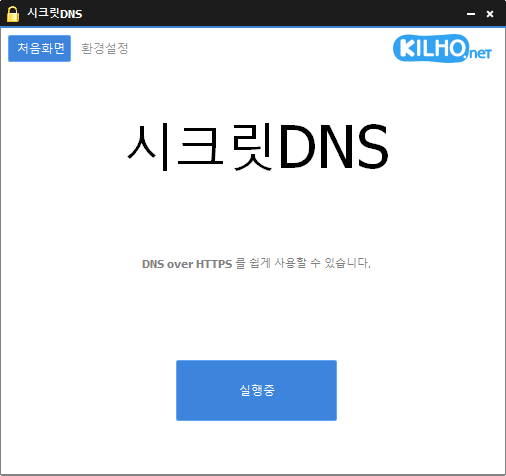
Improved YouTube and Google video playback compatibility Addressed connectivity issues in certain IPv6 network environments Prevented unexpected closures caused by invalid server responses Improved Chrome settings stability Using the Recommended options lets you add exceptions for only the sites you need, for a smoother experience. Fragments only the SNI string to minimize any loss of speed. You can enable SNI fragmentation and DNS features for only the domains you specify. Specify and use a DNS server without changing Windows settings. Easily check the domains you have accessed. Use it together with the proxy feature. Available without installation.

Read more — SecretDNS 3.9.3 Update
Update

KCleaner 3.8.8 Update

Faster and more reliable memory optimization Enhanced desktop display stability across various PC environments Improved speed by streamlining the cleanup process More efficient browser-focused memory management Added support for Spanish language. Easily remove security (?) programs that banks require you to install to access their websites. Cleanly shuts down malware disguised with the same file names as Windows system processes. Essential drivers (graphics, sound) are not shut down.(Shutting down drivers may reduce performance.) Trusted antivirus software is not shut down. Easily disable things that slow down your browser, such as toolbars. Use it without installation.

Read more — KCleaner 3.8.8 Update
Update

BoostPing 1.6.9 Update

Improved network stability and responsiveness Optimized internal system processing for better performance Fixed settings save issue for a smoother experience Accurately analyzes and configures the active network. Changes the network throttling index. Disables the Nagle algorithm. Can be used without installation.

Read more — BoostPing 1.6.9 Update
Update

MemoryCleaner 1.9.9 Update

Improved startup stability with certain security software such as nProtect and Fasoo Fixed conflicts caused by incorrect hooking behavior from certain antivirus/security modules Enhanced overall stability and compatibility Improved memory cleaning reliability Improved tray icon and UI behavior Cleaned up and optimized internal processing Cleans various areas of memory. Automatically cleans memory based on your settings. Can be used without installation.

Read more — MemoryCleaner 1.9.9 Update
Update

SecretDNS 3.8.9 Update

Improved handling of shutdown and restart issues on certain systems Enhanced stability by reducing delays and handling edge cases on some PCs Improved overall stability and reliability Use Recommended Options to add exceptions for only the sites you need and enjoy a smooth experience. Fragments only the SNI string to minimize slowdowns. Apply SNI fragmentation and DNS features only to specified domains. Use a specified DNS server without changing Windows settings. Easily check the domains you have visited. Use in combination with the proxy feature. Runs without installation.

Read more — SecretDNS 3.8.9 Update
Update

KPlayer 0.9.2 Update

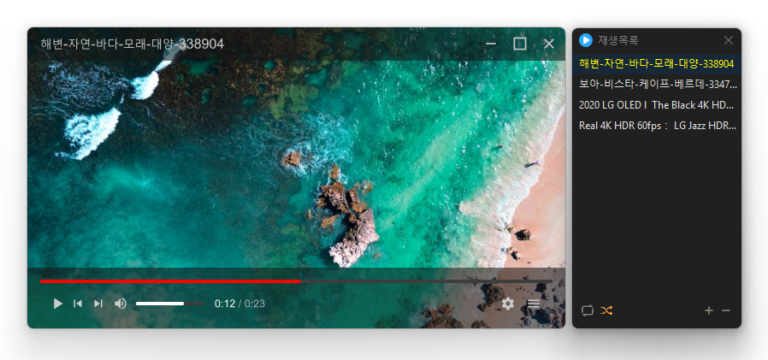
Improved direct file opening so videos are added to the playlist and start playing right away Powerful playback features based on LibMPV Supports major video formats, including MP4, MKV, AVI, MOV, WMV, and ASF Add files and entire folders Reorder items by dragging them in the list Repeat and shuffle playback Add files instantly with drag and drop Resize freely by dragging the window border (minimum 384×216)

Read more — KPlayer 0.9.2 Update
Update

ImageConverter 1.5.9 Update

Made it easier to choose size and output format right after adding files Moved size settings to a more convenient spot for a smoother workflow Added height-based resizing for more flexible size control Improved the auto-convert flow so it finishes more smoothly Convert between a variety of image formats. Save JPG files with a higher compression ratio using MozJPEG. Each page of a PDF file is saved as a separate image file. Transparent backgrounds are preserved in PNG and WEBP files. Convert files from the right-click context menu. Use it without installation.

Read more — ImageConverter 1.5.9 Update
Update

StartCleaner 1.0.9 Update

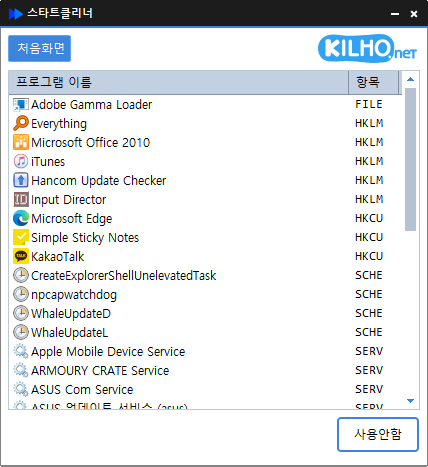
Fixed an issue where startup items could be shown incorrectly Improved stability when changing startup settings Enhanced reliability while loading the startup list General stability improvements through internal code cleanup Easily manage programs that run automatically at startup. Manage various items in one place, including the Startup folder, registry, Task Scheduler, and services. Safely change settings by disabling items instead of deleting them.

Read more — StartCleaner 1.0.9 Update