Completely rebuilt from Delphi in pure C for a faster and more stable MemoryCleaner Reduced background memory usage by more than 95 percent for lighter long term operation Reduced the application size by approximately 98 percent for faster startup and a smaller footprint Added the option to choose exactly which memory areas to clean Added a new automatic cleanup feature that clears cached memory when available memory runs low Added cached memory size and usage information directly to the main screen Improved default cleanup settings to help reduce interruptions while gaming or watching videos Fixed an issue where cleanup could appear to fail on some PCs when a specific item was unavailable Enhanced error detection to help identify and resolve unexpected shutdowns faster Added a button to restore all settings to their defaults Fixed an issue where update checks might not complete correctly on some PCs Removed unnecessary permission requests and improved overall reliability Cleans various memory areas. Automatically cleans memory according to your settings. Can be used without installation.
Meet the refreshed ImageConverter, with a more convenient way to start converting Choose your preferred image size more easily Improved the update experience so you can keep using your existing settings Improved right-click conversion in Windows Laid the groundwork for support on more operating systems Convert between a variety of image formats. Save JPG files with a higher compression ratio using MozJPEG. PDF files are saved as separate image files for each page. Transparent backgrounds are preserved when saving as PNG or WEBP. Convert images from the right-click context menu. Use without installation.
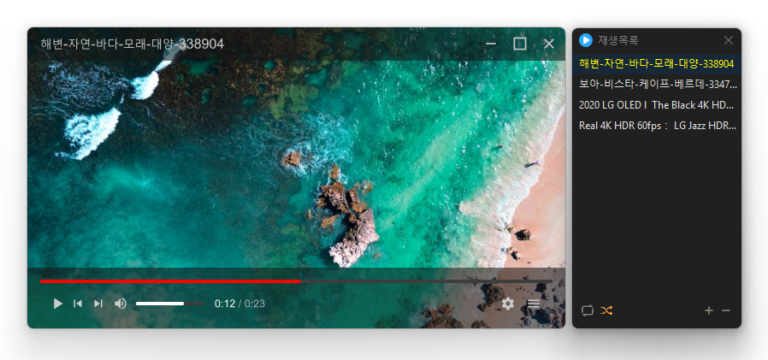
Added convenient options to play files in the running window or add them to its playlist Added automatic discovery and playback of the next media files in the same folder Improved multi-file opening to start smoothly from the first selected file Improved playlist scrollbar stability for users affected by visual shaking Fixed an issue where volume normalization might remain active with certain settings Refined the settings screen for a cleaner and faster experience Simplified screen size options to 50%, 100%, 150%, and 200% Enhanced overall stability and compatibility with modern environments Added automatic external subtitle detection based on video names and folders Added drag and drop support for applying subtitle files during playback Fixed subtitle display and playback issues affecting some users when loading subtitle files Improved SMI subtitle compatibility for files that were not automatically displayed in some cases Supports major video formats, including MP4, MKV, AVI, MOV, WMV, and ASF Powerful playback features based on LibMPV Reorder items by dragging them in the list Add files instantly by dragging and dropping them
Reduced the risk of memory related errors and improved reliability by porting to Rust Added file cleanup with options to choose what to remove Improved startup program and service lists for easier management Easily remove security (?) programs that must be installed to access banking websites. Cleanly terminate malware disguised with the same filenames as Windows system processes. Essential drivers (graphics, sound) are not terminated.(Terminating drivers may reduce performance.) Trusted antivirus software is not terminated. Easily disable items that slow down Explorer (such as toolbars). Use without installation.
Fixed shorter wait times affecting some older saved records Preserved custom click interval ranges when changing settings Added a notification when another program is using the same hotkey Improved responsiveness by reducing unnecessary delays after double clicks Prevented continuous clicking caused by an invalid repeat count An automatic mouse-clicking program. Use it with multiple patterns by adding times and coordinates. Configure click details. Use it without installation.
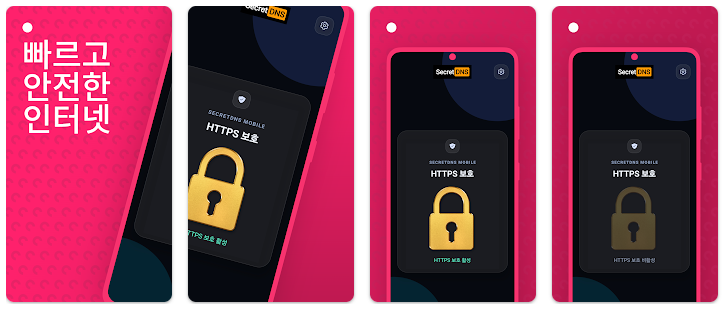
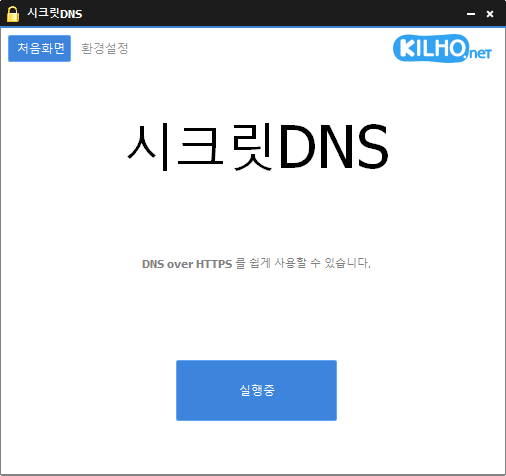
At last, we’re releasing the mobile version of SecretDNS. We’ve been receiving requests to make it available on mobile, and we’d like to thank everyone who has waited. We’re launching the Android version first. Key Features Simple to useWe can’t…
오늘도 사랑합니다
상 습 숭 배
고마워요 사랑해요
고맙습니다.
사랑해요 형 언제나 응원합니다
GOAT 그 자체 킹길호
학교에서 항상 잘 사용하고 있습니다. 정말 감사합니다.
항상 감사하게 잘 사용하고 있습니다. 건강하시고 복많이 받으세요^^
항상 감사히 사용하고 있습니다 감사합니다
길호형님 만수무강 하십시오. 형님은 한국 인터넷의 수호자요, 어둠을 비추는 등불입니다.
감사합니다.
감사합니다.
실생활에 굉장히 도움이 많이 됩니다
길호넷이 공익을 지향한다고 봐야
감사합니다
침착맨도 사랑한 시크릿dns
감사합니다
항상 잘쓰고 있습니다
고마워요
항상 감사드립니다.
사용잘하고 이씁니다
매일 잘 쓰고 있어요! 너무 감사합니다 ^^
항상 감사합니다
늘 감사드립니다.
진짜 잘 쓰고 있습니다 감사합니다
감사합니다.
덕분에 행복한 하루를 보내고있습니다
어렸을때 칼무리로 시작해 지금까지 꾸준하게 신세지고 있습니다.
항상 감사합니다
정말 잘 사용하고 있습니다. 항상 감사드립니다.
길호님 잘생겼어요 만수무강하세요
항상 감사합니다. 잘 쓰고 있어요
형 사랑해 형 없는 삶은 생각도 못해…
언제나 감사합니다 우리의 선구자시여…
ㅇ업데이트 감사합니다. 정말 잘 사용하고 있습니다