
Kalmuri 5.0.0 Update
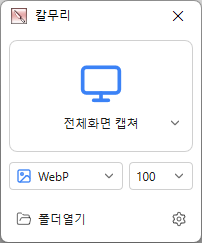
Changed the main screen to show capture areas and save formats with icons Added ripple/highlight effects to show mouse click locations in recordings Added capture area/save format selectors and capture/recording buttons to the region window Added animated GIF/WebP recording and frame rate settings Added graphics card based screen capture and recording Added NVIDIA/Intel/AMD graphics card support for MP4 recording Refined alignment of video and audio at the start of recording Added region window color selection in settings Added a stop recording button to the main screen Video recording support (designation of whole screen and area) Whole screen, active program, window control, area application Support for PNG, JPG, BMP, GIF, MP4 file formats Support saving text with OCR functionality. Support floating image feature. Share the captured image on the web. Color extraction function Full web page capture Printer output
